




 Some of the links on this site may be affiliate links. ICOBench may receive advertising commissions when users visit recommended platforms via our affiliate links, at no additional cost to you. All recommendations are based on a comprehensive review process.
 Best Wallet has been popping up more and more across the crypto space and not just as another wallet app, but as a platform that promises to blend simplicity, self-custody, and Web3 functionality into one clean experience.
Whether you’re managing tokens, exploring dApps, or just looking for a secure place to store your crypto, Best Wallet positions itself as a user-friendly gateway into the world of digital assets.
In this review, we take a closer look at what Best Wallet really offers: its features, security approach, fees, usability, and how it stacks up against other popular wallets.
Is it truly a “best-in-class” option or just another name in a crowded market? Let’s find out.
Best Wallet App – Overview
| 🔐 App Name | Best Wallet |
| ⭐ Our Rating | |
| 🏦 Wallet Type | |
| 🧩 Key Use Case | |
| 📱 Platforms | iOS & Android |
| 🌐 Supported Networks | |
| 🧾 KYC Required | |
| 💸 Wallet Fees | |
| 🔑 Private Key Ownership | |
| 🧯 Backup & Recovery | Seed Phrase |
| ⚙️ In-App Swaps | Yes |
| 🛡️ Security Focus | |
| 📄 Whitepaper / Docs | Yes |
| 🧪 Security Audit | Yes |
What is Best Wallet?
Best Wallet is a crypto wallet where you can buy, store, and swap cryptocurrency. It works as a non-custodial wallet, meaning you are responsible for your wallet’s private keys. The same goes for security, signing off on transactions, and backups.
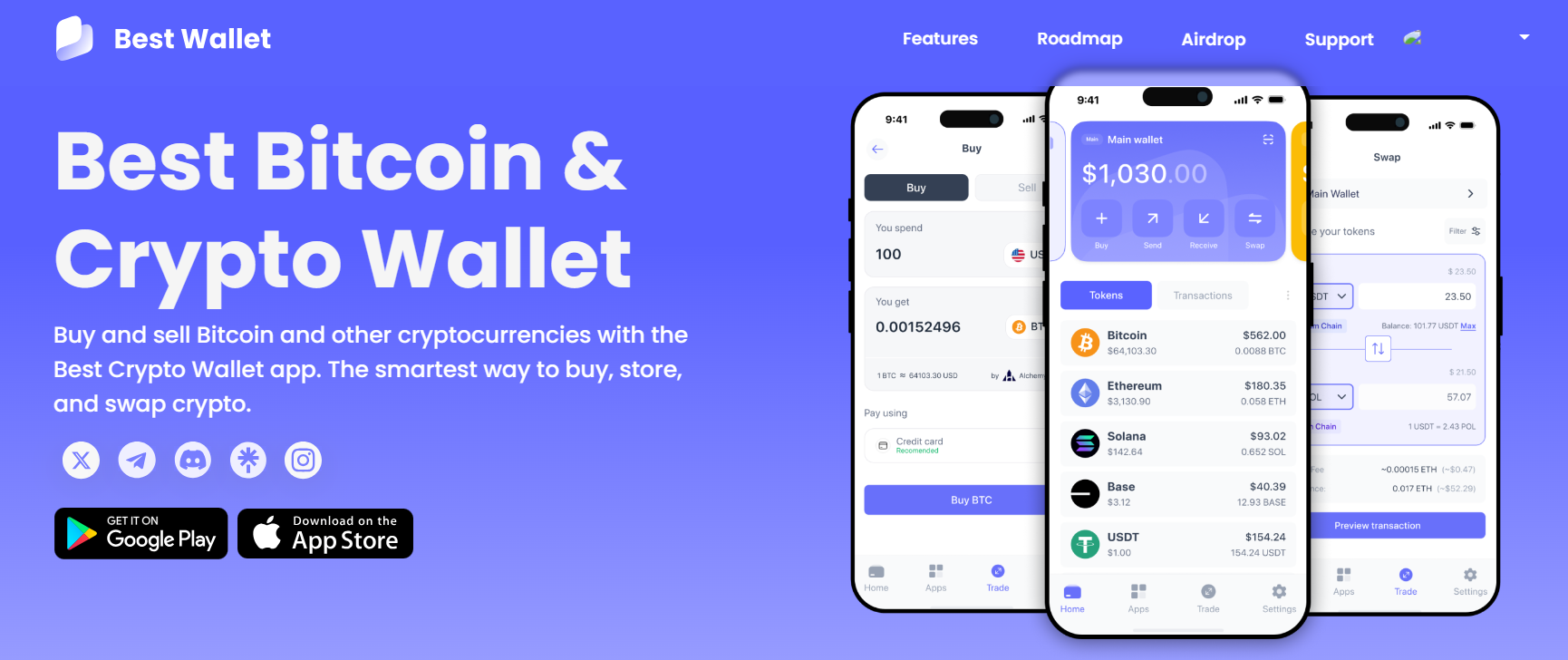
Within the wallet, you’ll find currently traded tokens, upcoming ICOs (new tokens), apps, projects, etc. All these features are to centralize your asset management in the wallet.
The top tokens we found during our Best Wallet review include Ethereum, BNB, Polygon, Tether, USD Coin, etc. If your preferred token isn’t listed on the homepage, you can search for it by address, name, or symbol. This versatility was a plus to us when testing the wallet. Even so, you can add your preferred token to the homepage through the toggle box.
Best Wallet is available for Android and iOS devices. To get it on your device, you simply have to download it from your app store or follow our link on this page.
Best Wallet – Pros and Cons
Here’s what we loved about Best Wallet as the best crypto wallet app and possible improvements to make it better:
This wallet is fully decentralized and requires no proof of identity before registering. In other words, it has no KYC requirements for its users. While its non-custodial nature leaves much to the user in terms of security, the wallet is feature-packed with protective measures. In light of recent reports showing up to $2 billion lost to crypto hacks in 2024, here are the security features you should set up in your Best Wallet: We tested all these security features during our Best Wallet crypto review, and we suggest you set them up too. In addition to setting up the above security features, we’d like to include a few tips from Best Wallet itself: Best Wallet’s simplicity is ideal for beginners who look for the best crypto wallet app. If this will be your first time using a crypto wallet, you’ll find Best Wallet’s interface easy to use. The layout is intuitive, with the major navigation buttons laid out at the bottom. While being simple, Best Wallet contains features that work for expert crypto users. That includes the built-in DEX that brings crypto trading to the platform. In other words, you can conduct all your trades, whether meme coins or utility tokens, without switching to a crypto exchange. It’s also an excellent platform for safe and KYC-free access to new Bitcoin casinos. The wallet has a few top-notch features lined up for release. These features will further integrate the wallet among veteran traders and portfolio managers.
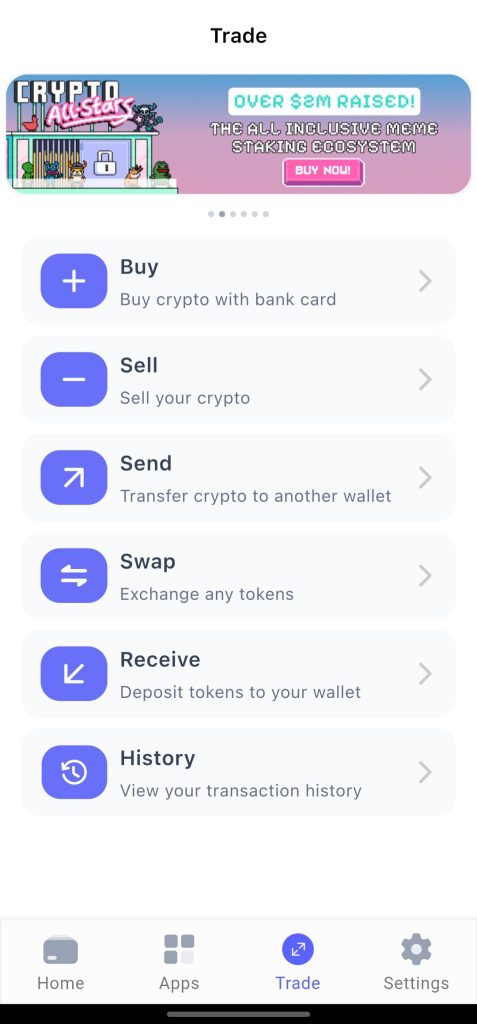
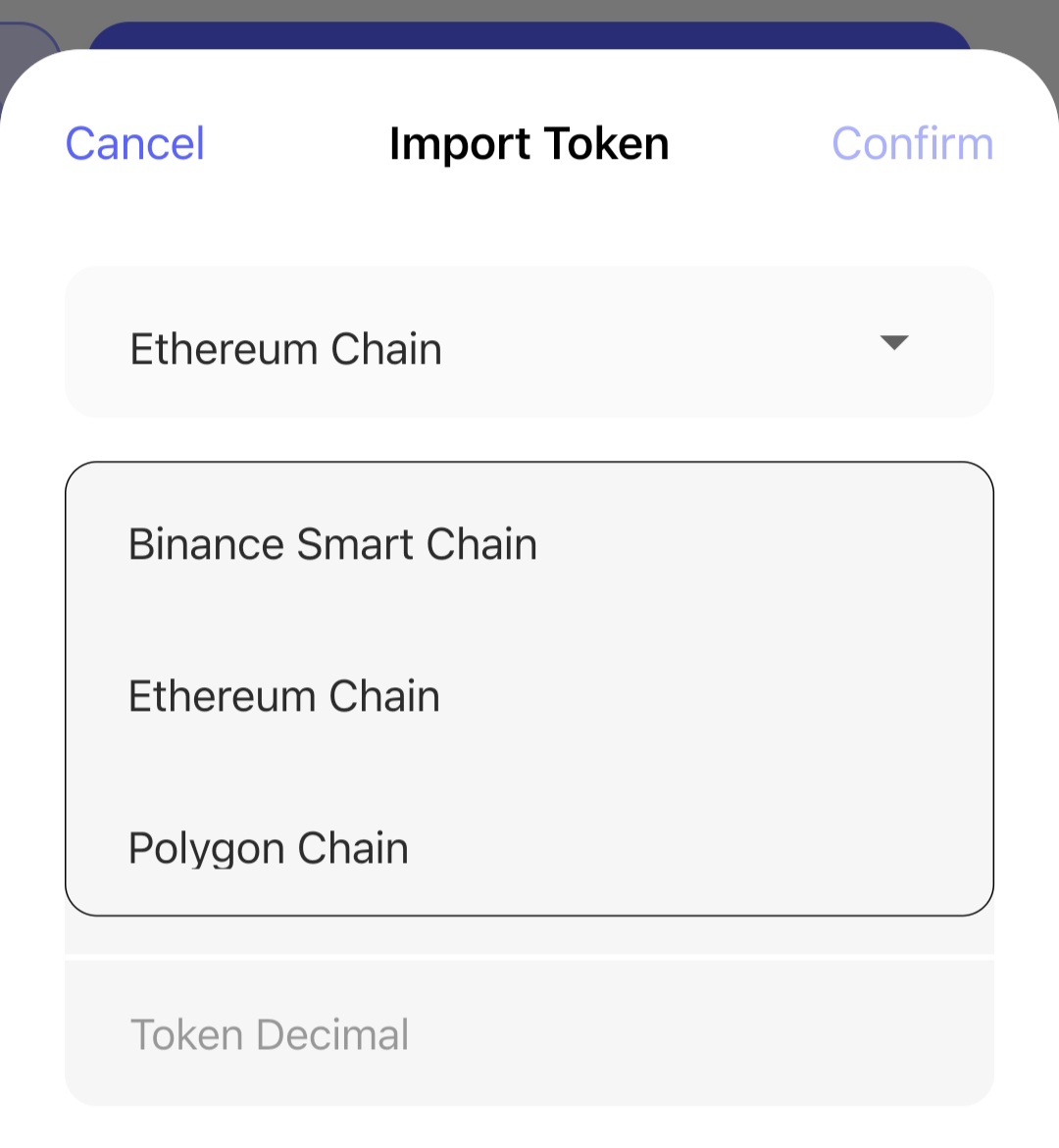
For efficient asset management, Best Wallet is packed with useful features, including the following: This is the most prominent feature on the platform and one of the reasons why Best Wallet is more than just a wallet. With the decentralized exchange, you can trade tokens across different chains. This feature is available on the homepage as well as on the “Trade” page. With the DEX, you can buy, sell, send, swap, and receive tokens in your wallet. You’ll find a section to view your transaction history. This feature was handy during our Best Wallet review, as we made several transactions to test the DEX. To aid trading on the DEX, Best Wallet is on the heels of rolling out its Market Insights feature. This section will allow you to analyze trending tokens, view market sentiment, and other relevant market data necessary for trading. Real-time charts, news, token analytics, and security audits will be part of the Best DEX. The best part about using the Best DEX is that you’ll earn points for the upcoming airdrop. You can add it to the crypto airdrops you are part of. With this feature, accessing Web 3.0 apps on Best Wallet becomes a breeze. You should find a few top dApps on your first login. Simply click on “Apps” to open this section. The apps we found during our Best Wallet crypto review include the following: You can use the DeFi apps to source for presales and other top-performing crypto projects. Note that you’ll access these apps within Best Wallet. That simplifies integration. To boost efficient crypto asset management, Best Wallet has a feature that lets you create multiple wallets. You can add more wallets to your main wallet to manage individual tokens or groups of tokens. All you have to do is go to the top where you have the main wallet and swipe right. Then, click “Add wallet” to set up a new wallet. Things get even more interesting here. You don’t have to set up a new wallet from scratch if you already have one. Simply use the “Import” option to add an existing wallet. Thanks to its multi-chain feature, you can trade or store over 60 cryptocurrencies. The supported chains on Best Wallet are as follows: The extensive token list impressed us during the review. Add that to the apps and decentralized exchange, and you’ll have a well-rounded asset management experience like we did. We like wallets that constantly improve upon what they have, especially in the fast-changing technological world. Best Wallet matched our expectations in this regard with upcoming features that will augment the experience. These include the following: The new features will be rolled out in phases three and four. We look forward to them, as we are already impressed by what Best Wallet has put up so far.
You don’t need a monthly subscription to keep your Best Wallet active. That is a plus for us and many other users who want to reduce our ancillary spending on a crypto wallet. Another good part of that is the free-to-download mobile application. The only pricing you’ll worry about on Best Wallet is the gas fees for your transactions. For all transactions, the gas fees will be paid in the native cryptocurrency of the network you trade on. For example, you will pay $BNB if you are on the Binance Smart Chain. The others are $ETH and $MATIC. We tested all chains during our Best Wallet review. Transactions were fluid but the gas fees fluctuated. The following factors cause the latter: Our team took turns on the Best Wallet mobile wallet to assess its user experience. Everyone reported the app easy to use and understand. Even beginners can effortlessly navigate the different sections in the app. The major navigation buttons are at the bottom. These are the home, apps, trade, and settings buttons. From there, all you need to do is scroll and swipe where necessary. We had no trouble with the text, as the app had good legibility. The colors were not heavy but light enough to create a visual appeal during our Best Wallet crypto review. Ultimately, all sections are well labeled. The table below pits Best Wallet against other top cryptocurrency wallet apps in the industry: Best Wallet holds up well against the competition. The upcoming features, as outlined in the previous section, will only make the wallet better.
We had to see how others felt about the app, especially their experience. To do that, we moved to the Google Play Store and the App Store to see the user reviews. After reading multiple reviews, it was clear that Best Walelt had wide acceptance and appraisal from its users. The reviews were largely positive. On the Google Play Store, Best Wallet got over 2k reviews with a 4.3 rating. We also noticed that Best Wallet didn’t shy away from negative reviews, as the support team offered to look into any challenges the users faced or the improvements they suggested. The user reviews only reinforced our stance that Best Wallet is one of the top crypto wallets out there. We remained unbiased throughout the Best Wallet crypto review, taking the app through several tests. To give you the best, here’s how we approached the review: If you are ready to get started with Best Wallet, follow the steps below to start: You can get the app directly on the Google Play Store and the Apple App Store. Otherwise, visit the official website for the download links. Provide your email to create an account. Best Wallet will send a six-digit passcode to your email. Enter the six-digit passcode in your email. That will take you to the next page to set up 2FA verification. You can set up 2FA verification immediately or skip it for later. Once done with that, create your four-digit passcode and enable biometrics lock in the process. Overall, Best Wallet proves itself to be a clean, intuitive, and feature-rich crypto wallet that feels both safe and legit for everyday use, becoming the best crypto app wallet. With its non-custodial structure, strong encryption practices, and commitment to user control, it gives users confidence that their funds and data remain in their own hands. While no crypto wallet can remove risk entirely, Best Wallet delivers a trustworthy and well-designed experience that makes it a solid choice for anyone looking to manage their digital assets.
Pros
Cons
Is Best Wallet Safe?
Best Crypto Wallet App: Who Should Use Best Wallet?
The Top Best Wallet Features
The Decentralized Exchange
The Apps
Multi-wallet Support
Multi-chain Feature
Upcoming Features
Pricing for Best Wallet
Best Wallet User Interface and Experience
Comparing Best Wallet With Other Top Crypto Wallets
Feature
Best Wallet
MetaMask
Coinbase Wallet
Trust Wallet
Supported chains
Binance Smart Chain, Ethereum, Polygon
Ethereum, ERC-20
Multiple
Multiple
Standout features
Web3 apps, multi-wallet support, DEX
Browser extensions, supports hardware wallets
NFT marketplace, Fiat gateway, DEX integration
Staking options, built-in exchange
User interface
Mobile
Mobile, web
Web, mobile
Mobile, web
Pricing
Free to use
No subscription needed
Free to use
Free to use
Best for
Non-custodial wallet users
dApp users
NFT enthusiasts
Mobile users
What Others Say About Best Wallet: User Reviews
Why Our Best Wallet Review is Trustworthy
How to Create a Best Wallet Account – A Step-by-Step Guide
Step 1: Install the App on your Device
Step 2: Enter Your Email
Step 3: Verify Your Email
Step 4: Set Up Security Features
Best Wallet App Review – Conclusion
FAQs
Is Best Wallet legit?
How trustworthy is Best Wallet?