




 Some of the links on this site may be affiliate links. ICOBench may receive advertising commissions when users visit recommended platforms via our affiliate links, at no additional cost to you. All recommendations are based on a comprehensive review process.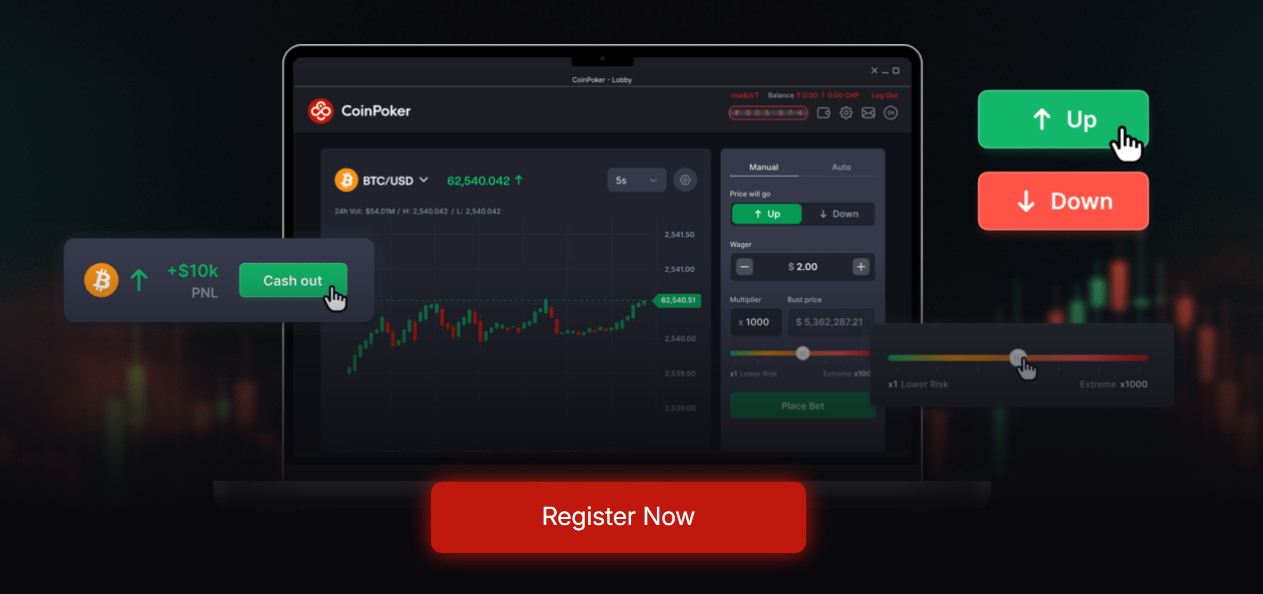
CoinFutures is a crypto futures trading platform with high leverage, instant withdrawals, and no KYC. We tested it during our CoinFutures Exchange review and found it to be user-friendly with other notable tools like the ROI calculator. The best part is that you don’t need futures contracts like other crypto exchanges. All you have to do is speculate on the crypto’s future price.
If you are looking for a beginner-friendly futures trading platform to speculate on crypto prices but don’t want the bells and whistles of an exchange, then CoinFutures is the way to go. During our CoinFutures platform review, we did not need to own an exchange account, as you can fund your account via your crypto wallet and also withdraw to your wallet.
- Show Full Guide
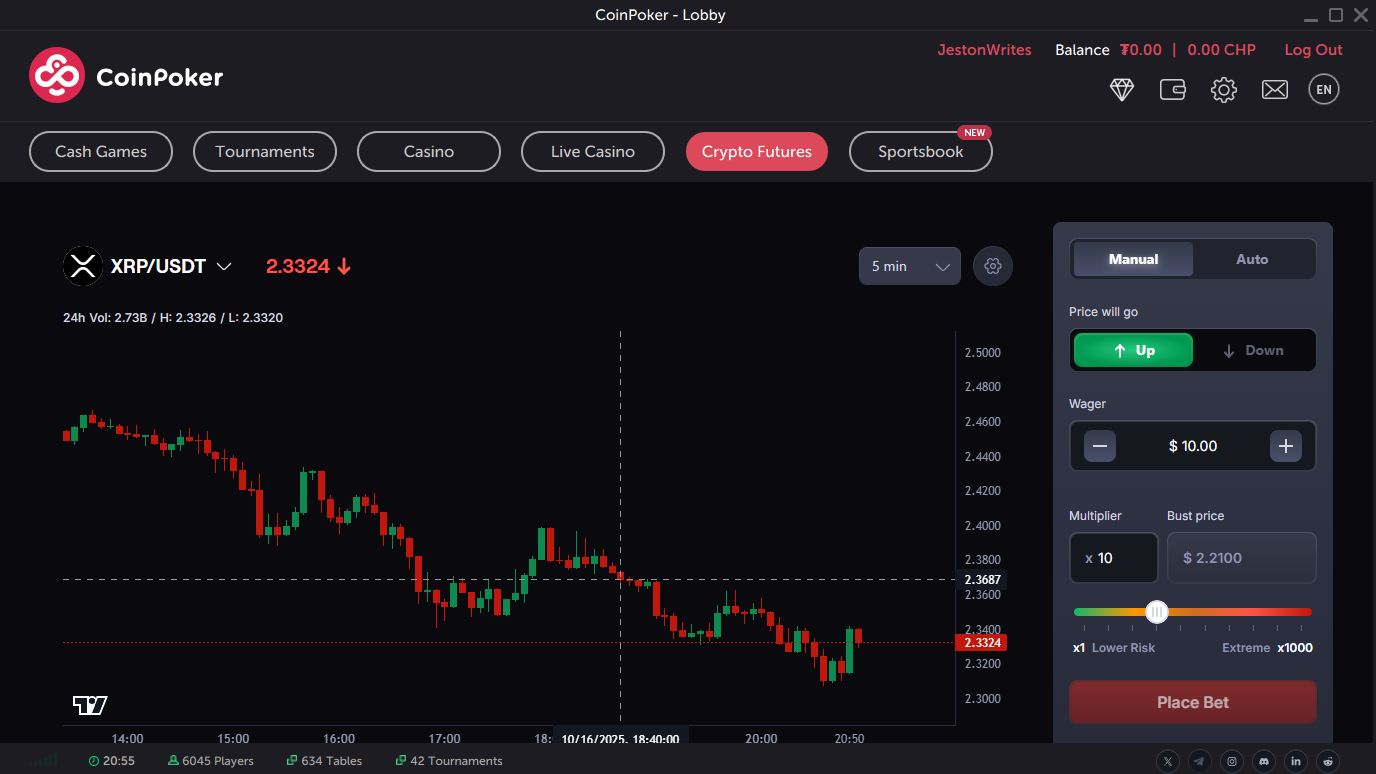
Pros and Cons CoinFutures is a platform that simulates cryptocurrency price movements and allows you to pick the price trend. You have only two options: one is for the price to go up, and the other is for the price to go down, just as you would when trading crypto futures. Some consider CoinFutures a gaming platform, and they’d be right. Using CoinFutures is similar to playing a game, but this time, you get to play it with an algorithm that mimics real crypto market volatility. Moreover, CoinPoker, the parent company, operates several other gaming platforms. With CoinFutures, it’s all about price predictions. You don’t own the underlying asset as you would on typical cryptocurrency exchanges, but you get to put in real cryptocurrencies when making your predictions. For the predictions, CoinFutures provides price charts with real-time price movements. However, it doesn’t include features like trend lines, Bollinger bands, relative strength index, etc. During our CoinFutures review, there are a few notable things we discovered about the platform. These are Another thing to keep in mind is that CoinFutures does all the heavy lifting when it comes to storing your cryptocurrencies. You simply deposit and use your funds for the predictions. With the CoinFutures platform, your primary focus is on predicting whether a crypto asset’s price will go up or down. If you get your prediction correct, you’ll get the payout, and if you get it wrong, you lose the deposit for that trade. The working principle bears much similarity to what you’ll get on crypto futures trading platforms. However, it eliminates the need for exposure to the actual cryptocurrencies. That was one of the key selling points we identified during our review of CoinFutures. If you don’t want to stress yourself following up with real-world crypto news like the washout we got after President Trump’s 100% tariff threats, then consider CoinFutures. Like you, we wondered how CoinFutures gets its charts since it doesn’t use the real-market charts like other exchanges do. Well, this is where the platform got clever. Instead of using real-market crypto charts or even integrating the famed advanced TradingView charts, the CoinFutures platform opted for simulated charts. The simulated charts are controlled by advanced algorithms that mimic real market volatility. As such, you’ll get the usual ups and downs as you would when trading crypto contracts. To then open a trade on any of the supported cryptocurrencies, you simply predict the price movement. You will have two options, which simplifies things even further, if you ask us. Those options include up and down. The “up” option means that you predict the cryptocurrency’s price to increase. On the other hand, the down option means that you predict the cryptocurrency’s price to decrease. Things get even more interesting from there. You don’t have to fix a timeframe for your predictions. During our Coin Futures review, we could end the trade at any time, a feature we found handy when the market moved against our predictions. That takes us to the trading types on the platform. If you want to control your exit positions by yourself, use the manual mode. But if you want to automate your exits, then the auto mode is best for you. Both modes worked excellently during our CoinFutures review. However, keep in mind that you’ll have to monitor your trade much more closely in the manual mode than in the auto mode. When using the manual mode, you simply enter your trade amount, set your leverage (multiplier), and watch the market. You can end the trade at any point, even before the price reaches your set level. If you decide to wait, you can maximize your profits. However, the risk is always there, as the market could swing in the opposite direction at any time. The auto mode provides a bit more ease, and you can divert your attention to other things or even trade crypto futures on another platform. All you have to do is set your stop-loss and take-profit levels. Once your profit or losses reach those levels, the system will automatically end the trade on your behalf. It’s an approach we will recommend if you are a beginner. With the stop-loss option, you can set how much you are willing to lose from the trade if the market swings in the opposite direction. The take-profit option does the opposite. It sets how much you will take out of the market if the market swings in your preferred direction. The stop-loss and take-profit options are typically present on platforms that trade crypto futures. Add that to the simulated futures, and most Coin Futures reviews, like the one from CryptoNews, would agree that CoinFutures has a lot of similarities with actual perpetual futures. With CoinFutures, you have the opportunity to amplify your potential returns with leverage or multipliers. The platform supports up to 1,000x, which is one of the highest we’ve seen—the best part? You can use the 1000x leverage in both the manual and auto modes. You’ll have to pick a multiplier when you open a trade. The multiplier will amplify your position, but you’ll have to be careful, as it will also bring tighter bust prices. That will cause the round to end much earlier if the price moves against your prediction. Nevertheless, you won’t risk more than your initial trade amount. We tested this feature during our CoinFutures platform review and found that to be true. If you enter a $10 trade, that will be the only amount at risk, regardless of how much leverage you use. We still call for caution, as we do on all our reviews, whether they are about cryptocurrency wallets or exchanges. Only trade with an amount you won’t mind losing. To use the leverage, simply adjust the slider. CoinFutures supports between 1x and 1000x leverage when opening a trade. Our team tested the leverage with a $10 trade on the BTC/USDT price movement. The entry price was $2.3399, and our team predicted the price to go up. We exited the trade when the price got to $3.5099. Our estimated ROI from the trade was 500%, while the PnL was $50. At the onset, CoinFutures supported two cryptocurrencies before expanding its support to five. Now, as we write, the platform has extended support to more cryptos. These include Bitcoin (BTC), Ethereum (ETH), Solana (SOL), Binance Coin (BNB), Avalanche (AVAX), Tron (TRX), Litecoin (LTC), Cardano (ADA), Chainlink (LINK), Hyperliquid (HYPE), Polygon (POL), Uniswap (UNI), and XRP. If you love meme coins, then you’ll find a few on the platform. CoinFutures has rolled out plans to integrate Dogecoin, Dogwifhat, and the SPX6900 tokens, as per our findings during our Coin Futures review. When trading, just pick any of these cryptocurrencies and set your trading parameters. CoinFutures will do the rest in terms of execution speed and payout. We agree that you will miss out on extensive crypto support and COIN-M perpetual contracts that most exchanges offer if you opt for CoinFutures. That is why we won’t recommend it as the sole platform you need to trade actual crypto futures. But if you just want to speculate and win, then CoinFutures is undoubtedly worth considering. CoinFutures keeps records of the trades on its platform, which we found to be handy when learning about previous trades. Even our trades were moved to the public bet section once we exited our position. No, you don’t have to worry about your privacy, as you will remain anonymous. The public bet section includes the instrument, the trade amount, the entry price, the multiplier, and the bust price. You will also get the PnL and the ROI for the trades and everything else that relates to them. That includes the date and the time for the trade. If you prefer the parameters, you can share the trade to your profile. This approach is similar to copy trading. The only primary difference is that you will be copying closed trades and not live trades, which most copy trading platforms offer. We should point out here that copying a trade does not guarantee the same results. You may have the same parameters, but the price chart and volatility will be different. The leaderboard section looks like the public bets. However, CoinFutures ranks the trades based on the highest earnings to the lowest earnings. With that, you can see which trades returned the most profit.
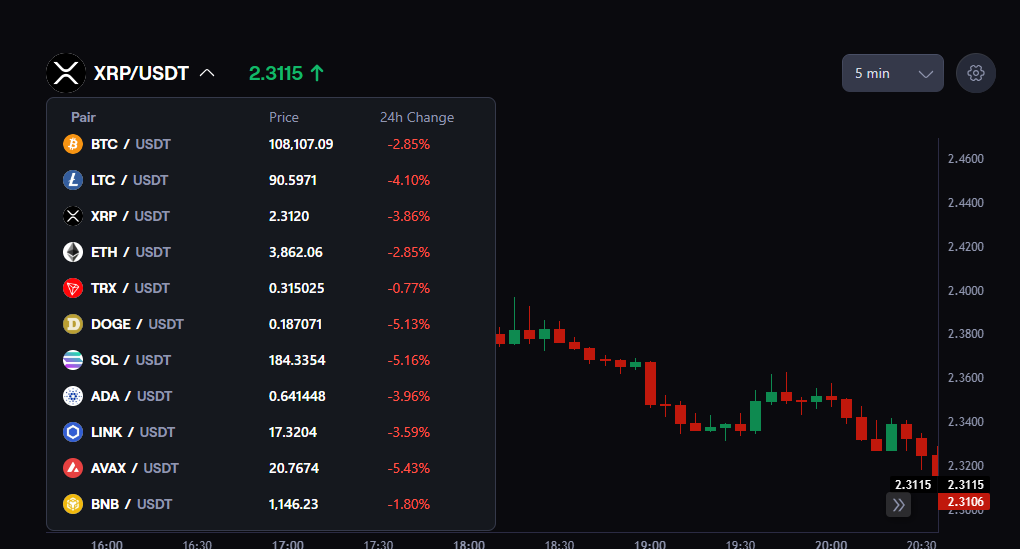
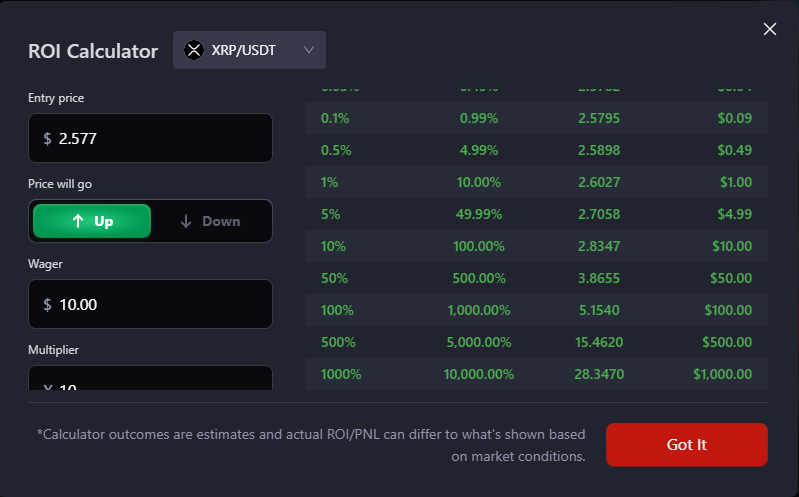
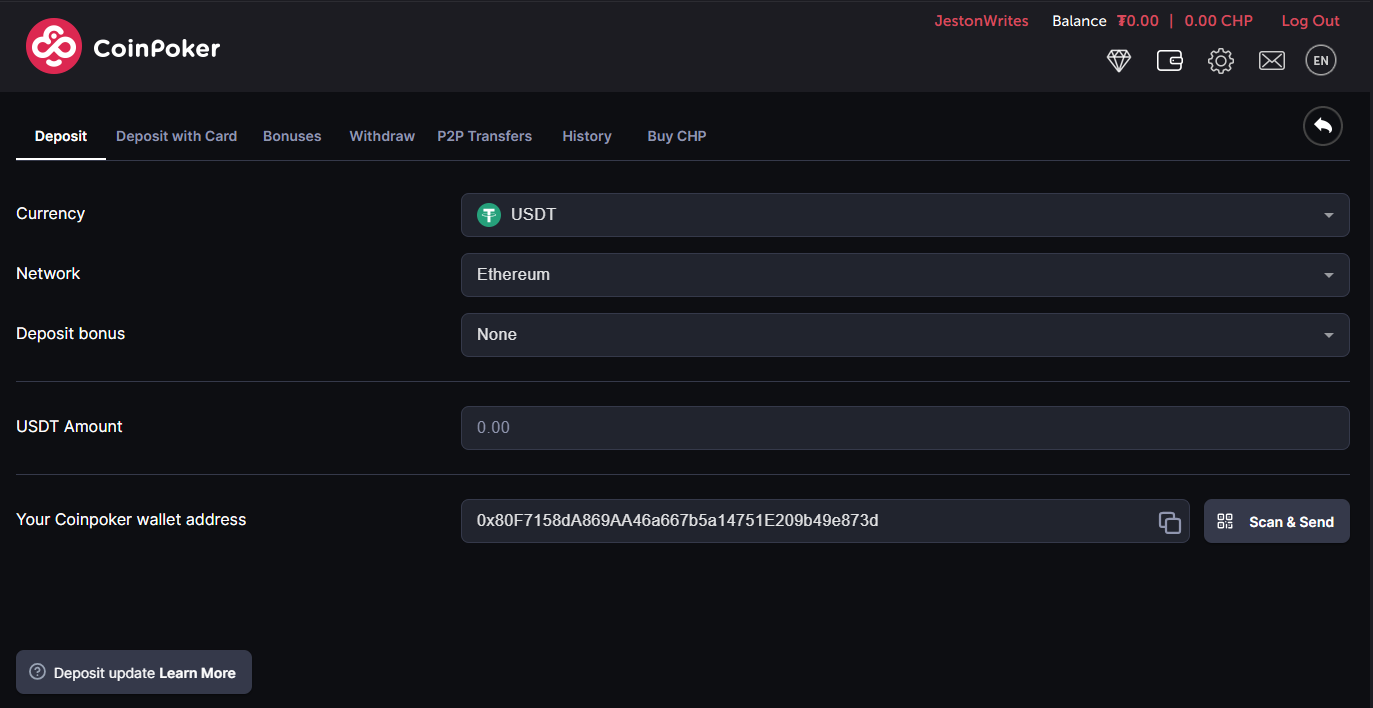
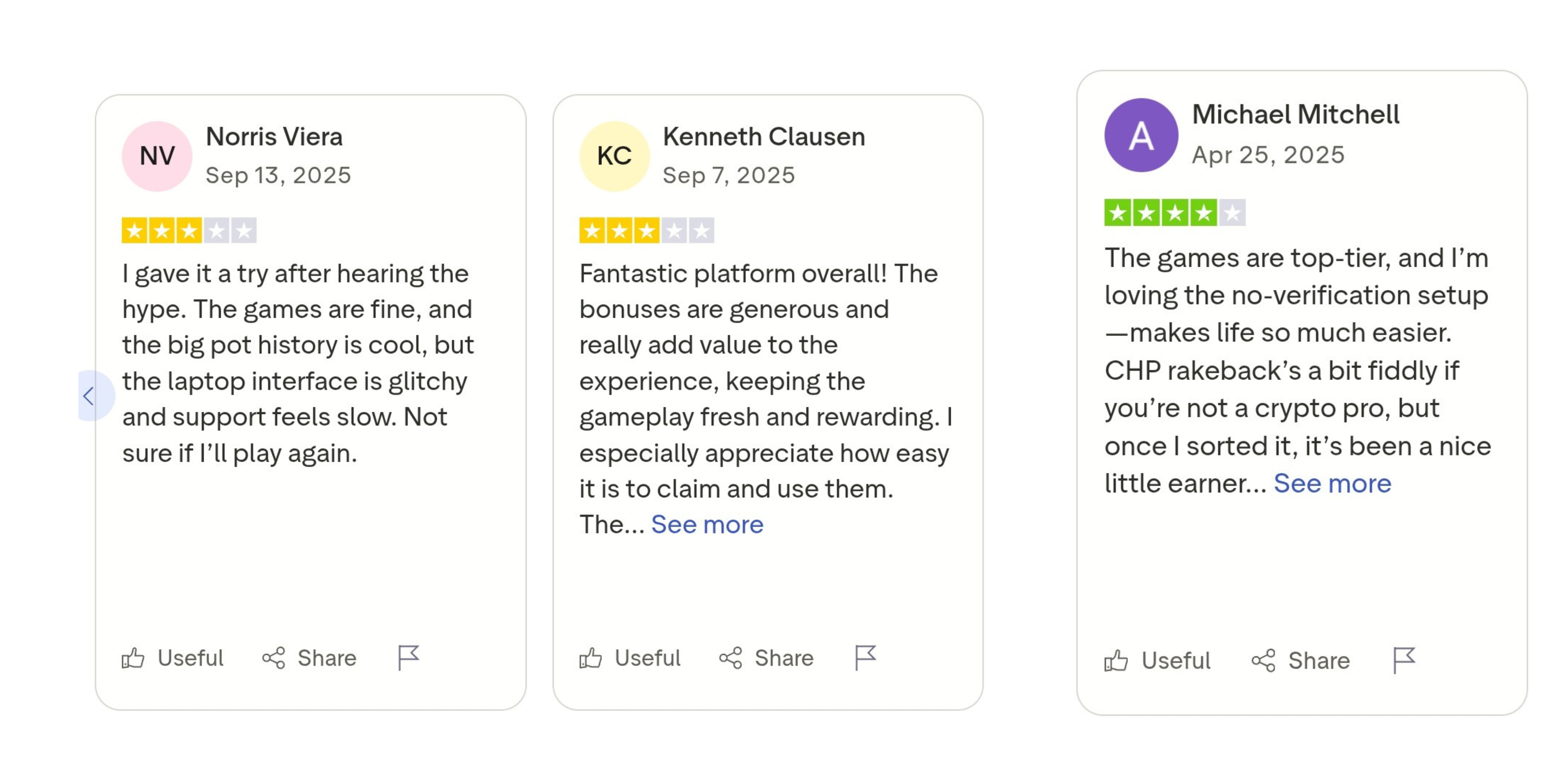
The following are the features that make CoinFutures tick: CoinFutures is a privacy-focused platform. During the onboarding, you only need a valid email to create an account. There’s no need to submit KYC documents, which are typical of most centralized exchanges that offer crypto futures. For us, registration was quick. However, we’ve noted a few users who complained about difficulties in getting through the email registration. We’d take that as a network glitch since it doesn’t happen for most users. Still, we’d like you to keep an eye out for that. If it happens, stay calm and try again after a few minutes. The CoinFutures platform isn’t anything out of the ordinary. However, what you won’t find are the complex technical indicators that are available on regular centralized exchanges. These indicators typically help with crypto price predictions, but you won’t need them at CoinFutures. On the right, you’ll have your trading parameters and controls. These include the manual and auto modes, the up and down predictions, the take profit option, and the stop-loss levels. You also have the fee option that allows you to pick between a flat rate and the PnL structure. The main price charts are on the left, and we are satisfied with the size. It is large and legible enough for you to monitor the crypto price movements. Right at the top is where you have your instrument. In other words, that is where you can select different cryptocurrencies to open the trade. We had no operational challenges during our CoinFutures review. The platform is not only user-friendly but also beginner-friendly. And the execution speeds were among the fastest we’ve seen. That is because CoinFutures doesn’t have to rely much on liquidity like centralized exchanges do. As we’ve mentioned earlier, you won’t get technical indicators with CoinFutures. The charts do not come with analytical tools that could help with your predictions. However, we can recommend a few things to help with your predictions. One of those is the ROI calculator, which we’ll get to in a moment. The other is to review trades on the leaderboard and the public bet sections. Another thing you can do is to vary the timescale. We traded with the 1-minute and 2-minute timescales, but you can increase yours to as much as 5 minutes. The ROI calculator is the go-to tool if you want to see your potential profits or losses from a trade. It also supports and calculates the potential PnL fees, which can be a bit complicated if you are new to trading. To use the ROI calculator, simply enter your entry price, pick your preferred direction for the price, set your wager, and choose the multiplier. You can also use the custom price move option to check the ROI for specific price moves. We tested the ROI calculator on several trading pairs during our CoinFutures review. While we didn’t get exact results when we made the actual trades, the ROI calculator wasn’t too far off. The only time you’ll notice a significant difference is when the market goes the opposite direction. With that, consider the ROI calculator’s results as estimates. And always keep in mind that the actual ROI/PnL fees can vary based on the simulated market conditions. One of our tests on the XRP/USDT trade is shown in the screenshot below: During our CoinPoker review, we had instant deposits throughout, and we believe you will have the same. The cryptocurrencies you can use to fund your account include Bitcoin, Ethereum, and BNB. We tested the platform’s reliability with 0.06 ETH and 0.05 BNB. Both were efficient and secure during our tests. We’d also like to note that you may have a different USDT yield when depositing. This difference, when compared to the open market exchange yield, isn’t surprising. From our CoinFutures platform review, we learned that the operator uses a formula that integrates multiple risk factors like service rates and price fluctuations. The fiat deposit options are as follows: Deposits aren’t the only thing you can do in the cashier section. You can also withdraw from your balance and even send funds to others via the P2P transfer option. However, P2P transactions only worked with USDT and the CHP during our tests. The receiver will also have to be part of the CoinPoker platform to receive the crypto. For withdrawals and P2P transactions, CoinPoker has a withdrawal limit of 1 million CHP. That limit covers all your transactions (withdrawals and P2P transfers). Now, CHP is the native token of CoinPoker, which is the parent platform for CoinFutures. Native tokens aren’t new, especially when it comes to crypto exchanges. Some, like MEXC, even offer discounts if you hold their native tokens. As for CoinPoker, the platform offers other services in the iGaming and sportsbook industries. It has over 25k followers on X, and our findings also indicate a warm reception among the users. This section is where you go to check your trade history. It shows your active bets and those that have been closed, including what profits you made and the losses you incurred. The details available in this section include your instrument, the multiplier, the entry price, the exit price, the ROI, and the PnL. You can also check for other crucial details like the date and time. It’s worth noting that you can make multiple trades when using CoinFutures. Our team tried with USDT and Dogecoin in one account, and both trades went smoothly. Then, with the active bets section, you can effortlessly monitor all your trades and close them at any time. CoinFutures does not charge any fees for processing your deposits. That includes funding your account with fiat currency and cryptocurrencies. Nonetheless, we did notice charges from our Web3 wallets when transferring tokens to our CoinFutures account. You also have gas fees to worry about. When it comes to trading, you will have to pay fees for each trade. These fees are typical, even in other leverage trading platforms. But the good part with CoinPoker is that you have the choice to pick between a flat rate or a PnL fee. Now, that isn’t typical of most crypto exchanges. The fees you’ll have to pay on CoinFutures include the following: The PnL fee, although more preferable, can be occasionally challenging to calculate. That is because the platform doesn’t specify the exact percentage, and there isn’t a flat rate for all trades. What you do have as a fixed rate is the 0.04% per entry and exit trades of $100, including the slippage. But you can use the ROI calculator to see the potential PnL fee for your trade parameters. We did it during our tests to give us a fair knowledge of what to expect. Still, keep in mind that the actual fees may end up being lower or higher than the ROI calculator. CoinFutures does not operate independently. Instead, it is one of the arms of CoinPoker, a notable platform that features a casino, a sportsbook, and poker. CoinPoker’s registration details are shown below: Precise Interactive Inc. is based in the Republic of Panama. That is also where it has its head office and operations base. As for the license information, our team can confirm that the license is still valid. Nevertheless, be sure to confirm when you read this CoinFutures review, as the license presented above will expire by the end of 2025. CoinPoker provides regular proof of reserves, which is typical of crypto exchanges. The ratio is 1:1, which is adequate and aligned with what other exchanges provide. Nevertheless, having an emergency fund, like the BAFU fund in our Binance review, would boost trader confidence. When it comes to data and fund protection, CoinPoker uses the advanced Multi-Party Computation (MPC) technology and multi-auth vaults. Even better, the platform regularly collaborates with several security services to make the user protection even more robust. We did not have many challenges with the CoinPoker platform during our CoinFutures review. However, we did notice mixed reviews about the platform on TrustPilot. Here are screenshots of a few reviews that stood out for us:
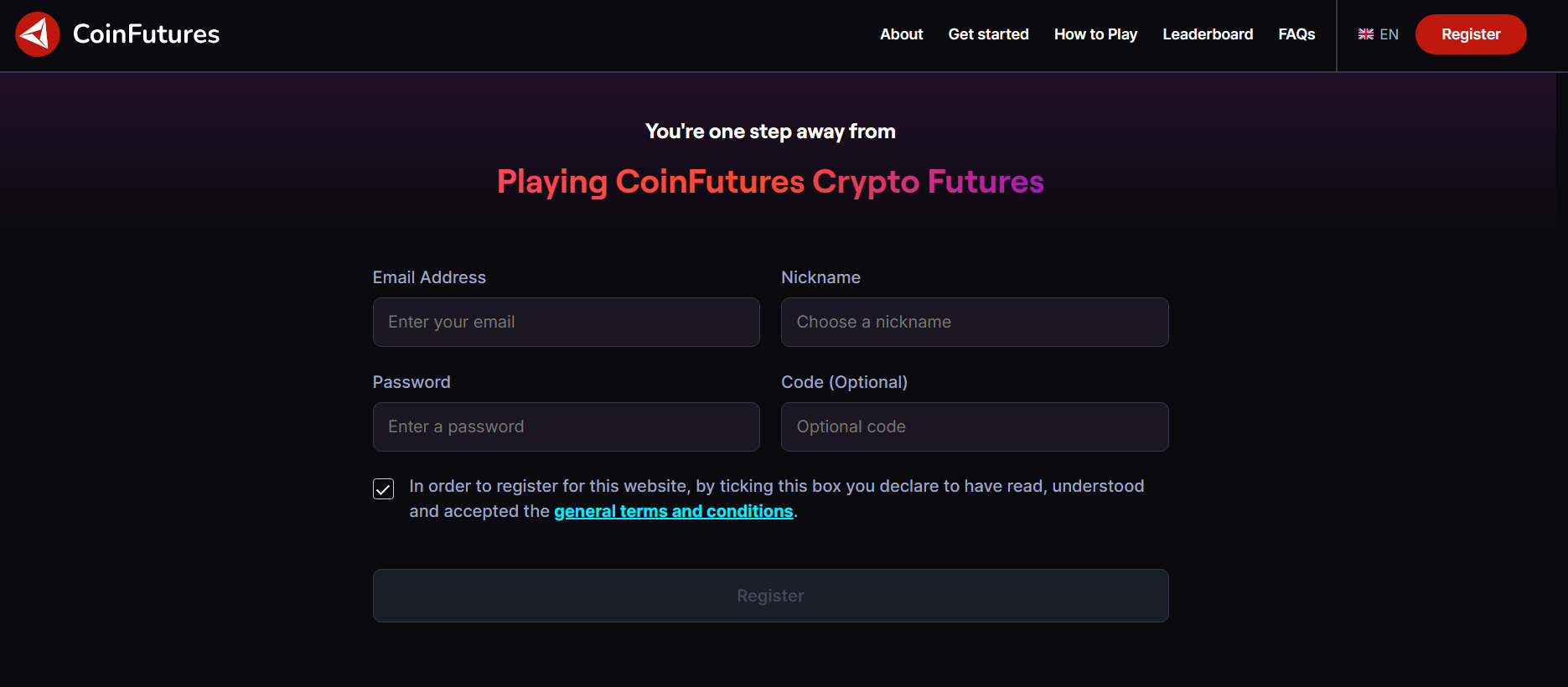
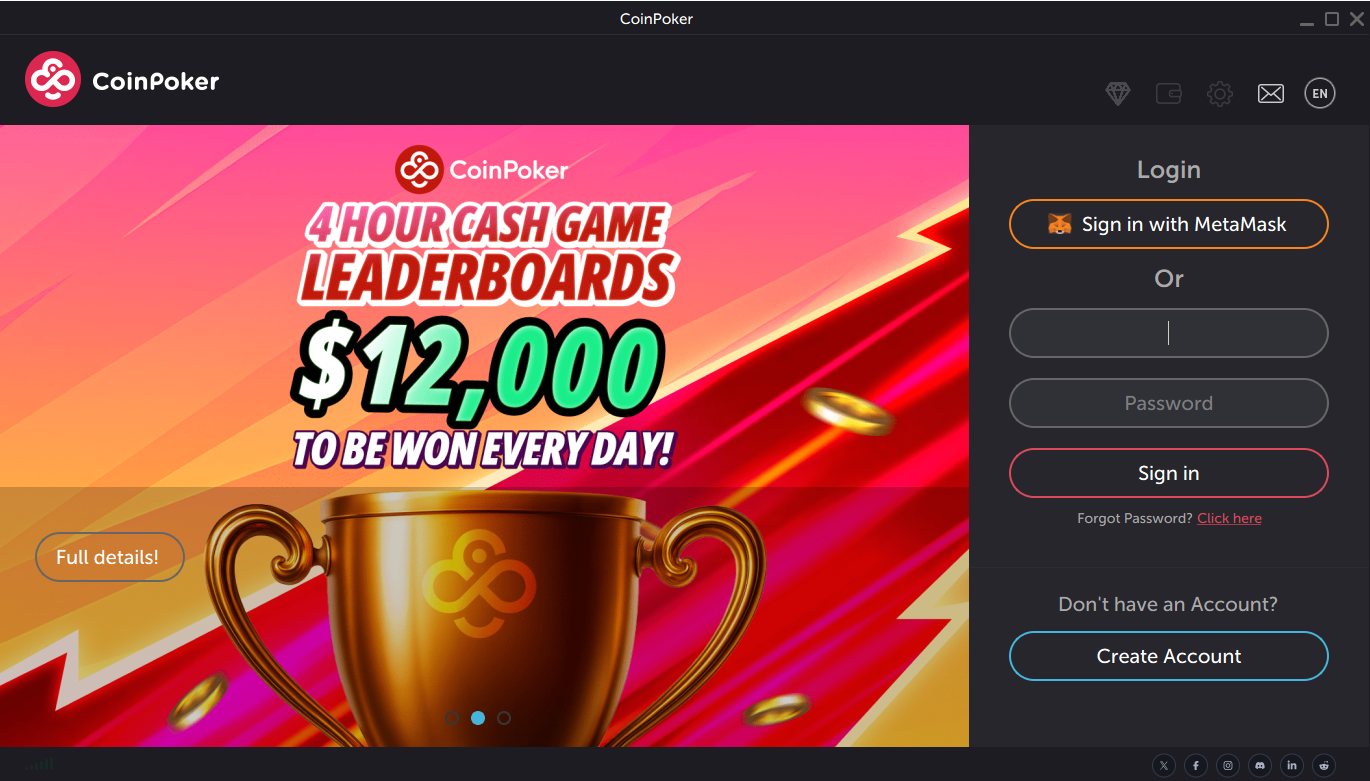
The table below compares CoinFutures with our other notable recommendations for leverage trading: The first step is to sign up on the CoinFutures official website. However, note that you can only use the CoinPoker app to trade. With that in mind, here are the steps on how to use CoinFutures: Follow the steps below to set up your CoinFutures account: You can download the CoinPoker app on your desktop or Android device. We did not find an iOS version during our CoinFutures review, which is a letdown for iOS users. Once you’ve installed the CoinPoker app on your device, follow the steps below: The final step before you can start opening trades is to fund your account. As mentioned earlier in this CoinFutures review, our team had a hassle-free experience with the deposits. To ensure the same for yourself, follow the steps below: To trade, do the following: Here are a few tips from our experts on how to manage risks when trading crypto futures: Our team ran thorough tests during our CoinFutures review, and we’ve shared our thoughts. Nevertheless, here’s what other experts have to say about the platform: “CoinFutures is a beginner-friendly platform that supports futures trading in a straightforward way. It simplifies long and short trading through up and down positions, allowing newbies to focus on price movements rather than complicated order books.” …CryptoNews “If you’re looking for a simplified way to practice futures trading without diving headfirst into complex derivatives platforms, CoinFutures is a strong contender.” …Mitrade “CoinFutures’ no KYC approach, instant crypto onboarding, and real-time simulated markets deliver a fresh gamified experience that can be both exciting and rewarding.” …Coinmooner CoinFutures’ approach to futures trading is unique, and we must add, impressive. We also score it high for simplicity, from the charts to the setup. You won’t get all the typical complicated charts that most crypto exchanges offer, especially those that integrate TradingView. The 1000x leverage is equally commendable. When it hits, it does provide significant returns. However, you’ll have to deal with the tighter bust price and the fees. CoinFutures isn’t for everyone. If you want a platform where you can speculate on crypto futures with up to 1000 leverage, then it is worth considering. But if you are into technical analysis and require as many technical indicators as you can get, then CoinFutures isn’t for you. If you also want exposure to real crypto prices, then you’ll have to consider our other crypto exchanges, not CoinFutures. To get started with CoinFutures, simply sign up with the platform, fund your account, and start trading.
CoinFutures Overview
Pros
Cons
 The platform does not require you to own underlying cryptos when trading, as you would on other exchanges
CoinFutures continues to expand its support to more cryptocurrencies and tokens You can start trading without a crypto exchange account The onboarding does not require KYC verification There’s an extended P2P support via its parent platform, CoinPoker You can stop the trade at any time and take your profits CoinFutures features the flat fee option and the PnL fee trading method There is an auto-trading mode
The platform does not require you to own underlying cryptos when trading, as you would on other exchanges
CoinFutures continues to expand its support to more cryptocurrencies and tokens You can start trading without a crypto exchange account The onboarding does not require KYC verification There’s an extended P2P support via its parent platform, CoinPoker You can stop the trade at any time and take your profits CoinFutures features the flat fee option and the PnL fee trading method There is an auto-trading mode CoinFutures does not give exposure to real cryptocurrencies when trading
The price movements and charts differ from real-life crypto price movements You can’t trade using your desktop browser, as there is no web app Limited crypto asset selection
CoinFutures does not give exposure to real cryptocurrencies when trading
The price movements and charts differ from real-life crypto price movements You can’t trade using your desktop browser, as there is no web app Limited crypto asset selectionWhat is CoinFutures?
How CoinFutures Platform Works
✰ The Underlying Mechanism
✰ Trade Types—Manual and Auto Modes
✰ Leverage/Multipliers

✰ Supported Instruments/Cryptocurrencies
A Deep Dive into the Features
✰ Onboarding and Registration
✰ Trading Interface and UX
✰ Charts and Analytical Tools
✰ ROI Calculator
✰ Cashier—Deposits and Withdrawals
✰ Active and Closed Bets
Fees and Costs

Trading Fees on CoinFutures
Fee
Brief Description
Flat fee
If you go with the flat fee, CoinFutures will charge a fixed amount when you open and close your trades. The charges will apply whether you make a profit or not.
PnL
This option allows CoinFutures to only charge you when you turn a profit with your trades. The platform will deduct a specified percentage when you close your position. And there will be no charges for opening your position.
Security, Legitimacy, and Regulation
Owner
Precise Interactive Inc.
Year Founded
2017
Registration Number
155771350
License
Government of the Autonomous Island of Anjouan, Union of Comoros
License Number
ALSI-202412004-FI1
Security Features
User Feedback
Comparing CoinFutures to Other Leverage Trading Platforms
Feature
CoinFutures
MEXC
Binance
Margex
Leverage
1000x
500x
125x
100x
KYC
No
Yes
Yes
No
Supported coins
19
1000+
600+
55+
Fees
Flat fees and PnL fees
0.000% for Maker orders and 0.020% for Taker orders
0.02% (maker) and 0.04% (taker)
0.06% taker fees and 0.019% maker fees
Supported Market
Simulated futures
Futures, spot, and options
Futures, spot, and options
Futures, spot, and options
Advantages of Using CoinFutures Over Other Leverage Futures Trading Platforms
The Limitations in CoinFutures
How to Use CoinFutures—Our Detailed Guide
Step 1: Create an Account
Step 2: Open the CoinPoker App
Step 3: Fund Your Account to Start Trading
Step 4: Start Trading
Managing Risks and Cashout
User Reviews
CoinFutures Review—Conclusion and Final Verdict
FAQs
Can I trust CoinFutures?
How can I calculate my trading fees?
How can I use leverage at CoinFutures?
When can I cash out at CoinFutures?
Can I make P2P transfers with CoinFutures?