


 Some of the links on this site may be affiliate links. ICOBench may receive advertising commissions when users visit recommended platforms via our affiliate links, at no additional cost to you. All recommendations are based on a comprehensive review process.
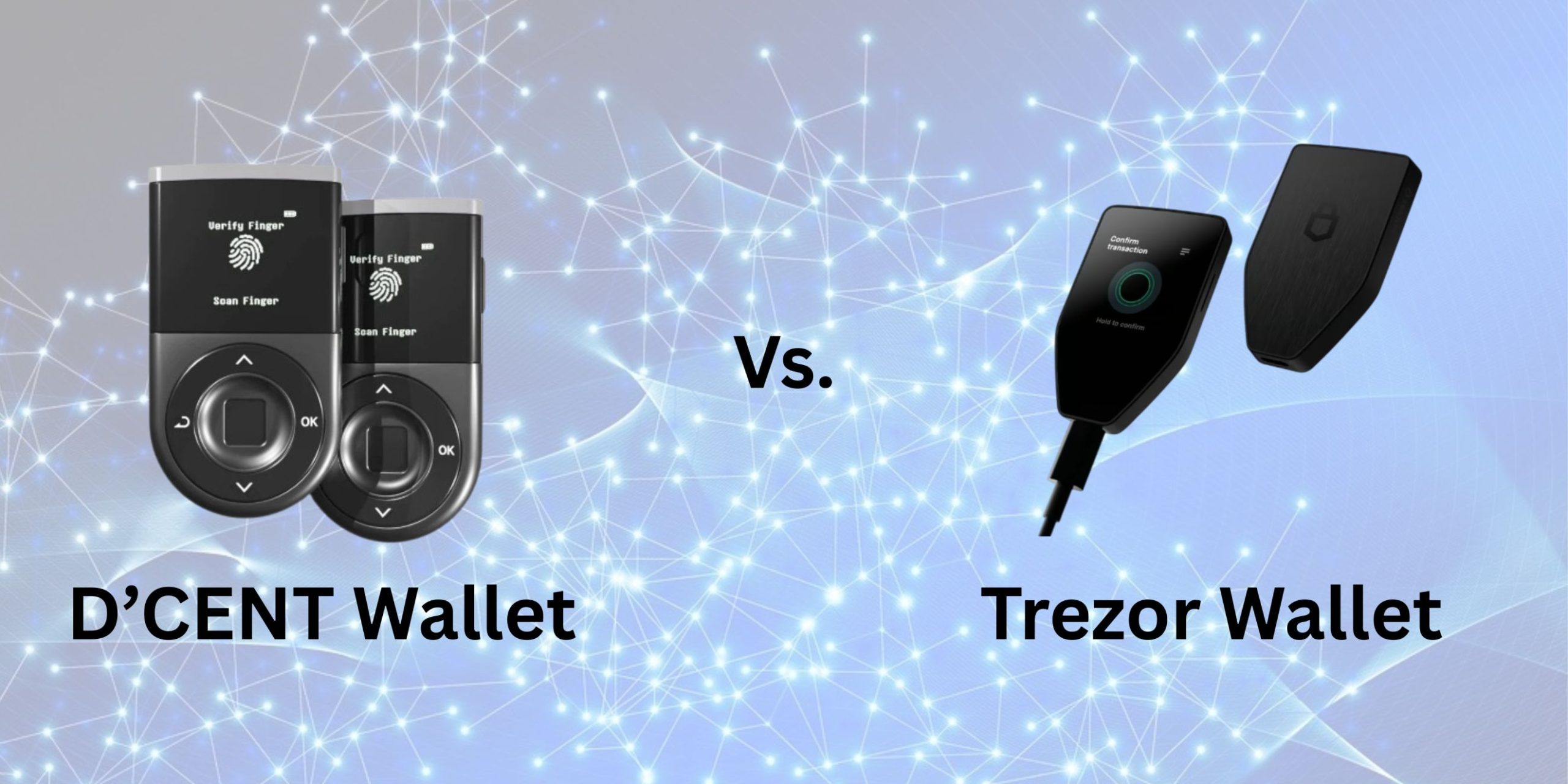
 The Trezor Safe 5 wallet offers a 1.54” touchscreen protected by Corning Gorilla glass, while D’CENT features the trusted 4-button navigation. Both wallets have similar dimensions and fit perfectly into the hands. But during our D’CENT vs. Trezor comparison, we found the D’CENT wallet to be the better option when it comes to security and cryptocurrency support.
Don’t get us wrong. Trezor does offer robust security measures like PIN and passphrase protection and incorporates Tor for identity protection. But D’CENT’s biometric security system remains unmatched, especially when signing transactions.
We’ll look at other aspects of both wallets in our D’CENT vs. Trezor comparison and see where each wallet shines. You’ll also get to see the price and value offering of both wallets. With that in mind, let’s look at a few highlights of both wallets.
The D’CENT wallet and Trezor are excellent hardware wallets for storing major cryptocurrencies like Bitcoin, Ethereum, Litecoin, Ripple, Solana, etc. They also offer digital and hardware backup solutions for easy recovery of your crypto assets. Note that you’ll need the mobile apps of both wallets to properly manage your cryptocurrencies. For the D’CENT wallet, we have the D’CENT app, while Trezor offers the Trezor Suite app. D’CENT offers three wallet options: the biometric wallet, the card wallet, and the mobile hot wallet, with the biometric wallet as the flagship product. All three can be managed on the mobile app. It gets even better, as you can keep and manage all three wallets together. Trezor, on the other hand, offers three core products: the Trezor Safe 5, Safe 3, and Model One wallets. The Trezor Safe 5 is the company’s flagship wallet option and the most expensive. When it comes to the core features of the two flagship crypto wallets, here are the similarities and differences we found between them: The physical sizes of the D’CENT biometric wallet and the Trezor Safe 5 wallet are not too far off from a thumb drive. With the D’CENT biometric wallet, you get 1.69 x 3.03 x 0.43 in. The Trezor Safe 5 wallet comes in at 2.6 x 1.6 x 0.3 inches and weighs 23 g compared to D’CENT’s 36 g.
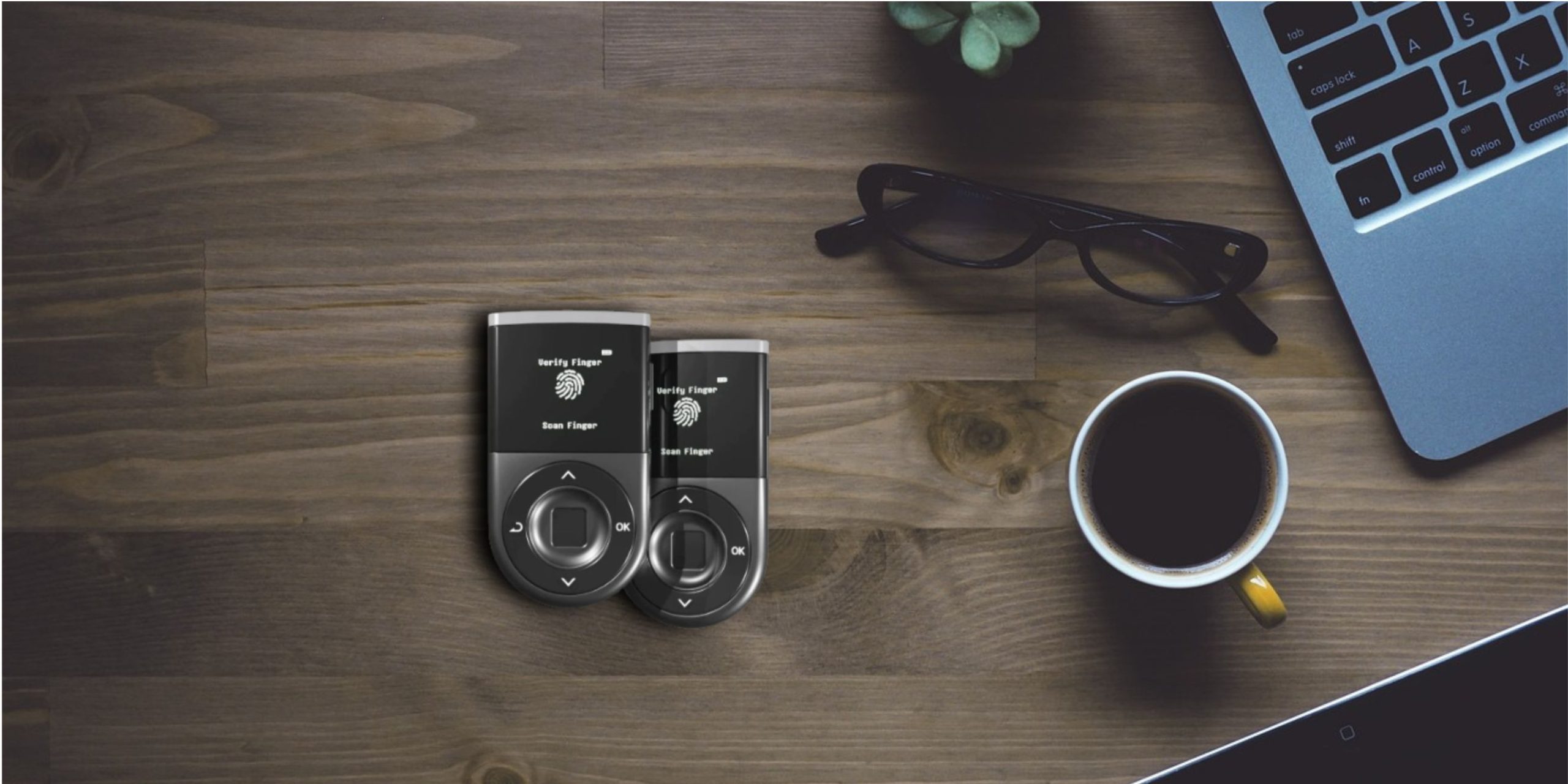
➡️ Quick Verdict: Both devices offer USB-C connectivity. However, D’CENT adds Bluetooth connectivity when connecting to the app and uses its USB-C port for charging and data transfer. For this additional connectivity, D’CENT takes the win in this category. The D’CENT biometric wallet features Bluetooth 4.1 for transactions, and it gets even better. When processing transactions, D’CENT uses encrypted communication, which ensures that external parties cannot access your data. It transmits only public data during processing. You’ll get USB-C connectivity on the D’CENT biometric wallet, but the connection is only available to charge the device or make data transfers. Trezor Safe 5, on the other hand, uses USB-C connectivity for transaction processing. The same goes for the Trezor Safe 3, while the Trezor Model One wallet uses USB-A connectivity. If you opt for the D’CENT All-in-One Wallet, you’ll get NFC connectivity. Simply tap the card on the device to establish a connection and sign your transactions. ➡️ Quick Verdict: Both D’CENT and Trezor offer multiple ways to verify device authenticity. However, D’CENT’s biometric option gives the wallet a lead in this category. We recommend physical inspections before you take your wallets out of their packaging. For the D’CENT wallet, you have to make sure the package seal (authenticity sticker) is intact on both sides. With that aside, D’CENT will perform an automatic device authentication once you connect the wallet to your app. It does this not only during the initial setup but also during each transaction to keep your crypto assets secure. Another way D’CENT verifies device authenticity is via seed phrase confirmation. For this process, you’ll have to input some words from the recovery phrase. D’CENT will then match those words to the seed phrase. If the words match, then you have an authentic and untampered wallet. With the initial checks complete, D’CENT will continue to verify your device’s authenticity for every transaction. The Trezor wallet carries its custom checks as well. And you must keep the device authentication check on always. Trezor issues a unique certificate to all its Safe hardware wallets before they leave the production line. When setting up your Trezor device for the first time, the Trezor Suite app will generate a random challenge and send it to the device. Once received, the hardware wallet will use the secure element chip to sign this challenge and return both the signature and the device certificate. With those, the Trezor Suite app can verify the signature and certificate to confirm the device’s authenticity. If you are worried about privacy during the Trezor authenticity verification, there’s no need to be. Our team can confirm that the Trezor Suite app discards the device certificate immediately after the checks. ➡️ Quick Verdict: We will give it to D’CENT for this category, as the device has both a battery and USB-C for charging. The Trezor wallet, on the other hand, has no built-in battery. The D’CENT biometric wallet features a battery capacity of 530 mAh. It uses a lithium-ion polymer battery, but don’t expect all-day battery life from it. We got about 4 hours of runtime during our D’CENT wallet vs. Trezor comparison. The runtime is comparable to other competing wallets like the Ledger wallet, even though we expected higher figures. But if your device were to run out, you can effortlessly juice it up with the USB-C port. For the D’CENT All-in-One wallet, you don’t have to worry about battery life. That is because the wallet uses NFC connectivity and has no built-in battery. The Trezor Safe hardware wallets have built-in batteries as well. Instead, they use the USB-C connectivity to power the device during transactions. While we give it to D’CENT in this category, we still feel picking one will be a matter of personal preference. If you prefer to have a device that is self-powered, then the D’CENT biometric wallet is your best option. But if you don’t mind plugging in the USB-C cable every time, then the Trezor Safe hardware wallets fit the bill. ➡️ Quick Verdict: D’CENT adds a free hot wallet when you install the mobile app. And you can manage your hardware wallets alongside the hot wallet, making it a better choice over Trezor. The Trezor Suite app is your primary dashboard for managing all your Trezor Safe hardware wallets. You can connect multiple wallets and transact with them seamlessly. Even better, you can create up to 10 accounts for each cryptocurrency network. That particular feature was handy during our D’CENT wallet vs. Trezor comparison, as we could keep separate accounts for our meme coins, altcoins, AI agent coins, etc. You’ll get similar support on the D’CENT mobile, but it gets even better. D’CENT will offer you a free hot wallet when you download the app. And you can switch seamlessly between the hot wallet and the hardware wallets. With the hot wallet, you can increase the number of assets you have in your portfolio without buying an extra hardware wallet. And that can be handy if you have a large portfolio. Note that you have to download the mobile app version 7.5.1 and above to use the multi-wallet feature. That won’t be a problem if you download from the official website or the Google Play Store. Besides operating multiple wallets on one app, you can also open up to 80 wallet accounts on different blockchains. Our team was impressed with this feature, as it is handy for the ever-expanding crypto industry, with new ICO drops springing up regularly.
➡️ Quick Verdict: We recommend the Trezor Suite app, as it has higher multi-device compatibility than D’CENT. You can get it on Windows and macOS, compared to the D’CENT app, which is only available on mobile devices. The D’CENT mobile app is an excellent choice to keep up with trending coins on CoinGecko and CoinMarketCap. You’ll also get the top-searched coins on these platforms, together with their price movements. But when it comes to native dApp and DeFi integration, the D’CENT wallet falls short of expectations. You can only access these decentralized platforms through the wallet’s Web3 browser, which isn’t bad either. With the Trezor Suite app, you can stake your tokens natively to earn passive rewards. As of our last checks during the D’CENT wallet vs. Trezor comparison, the app supports staking in Ethereum, Cardano, and Solana blockchains. You can track tokens with your Trezor Suite app, organize your portfolio, and swap tokens seamlessly. The wallet app also offers advanced protection with several industry-leading features like address poisoning protection, accessible and verifiable code, and discreet mode. When it comes to dApps, the Trezor Suite app has no native dApps, like you would get on competing wallets like Best Wallet. Instead, Trezor uses WalletConnect to connect to decentralized applications. And with that, you can get into NFT and DeFi spaces. While the Trezor Suite app supports more devices than D’CENT, it is only available as a view-only app on iOS devices. You cannot perform transactions with the app. As such, we recommend the D’CENT wallet app if you use an iOS device.
➡️ Quick Verdict: Both Trezor and D’CENT use WalletConnect for third-party app access. D’CENT, however, offers a proprietary Web3 browser to access apps as well. Hence, we consider D’CENT the better choice in this category. You won’t go wrong with the D’CENT wallet or Trezor Suite app, as both offer satisfactory dApp access during our D’CENT wallet vs. Trezor comparison. However, note that neither company allows for native app installation like you would get with a Ledger wallet. To connect to a dApp or even another Web3 wallet, simply use the Web3 browser in the D’CENT app or WalletConnect Trezor Suite platform. You can scan QR codes as well for an even faster connection. With D’CENT, you’ll get a list of the top dApps like Uniswap, Rarible, OpenSea, and Zapper. But if you want more, you can enter their URL via the search bar. Both wallets use open-source integrations, which will help third-party developers build compatible applications. ➡️ Quick Verdict: The D’CENT wallet takes the win in this category, as it supports NFTs on several networks. But, more importantly, you can manage (view and send) NFTs directly in the app. If you want native support for NFTs on your mobile app, then the D’CENT wallet is the best choice. With the wallet, you can store and view your NFT collections. And sending and receiving NFTs in the app is just like regular cryptocurrency transactions. You can connect with other dApps to purchase more NFTs or interact with other related services. The top apps we interacted with during our D’CENT wallet vs. Trezor comparison include Rarible and OpenSea. When it comes to token standards, D’CENT supports the ERC1155 and ERC721 standards. The supported blockchains include Ethereum, Polygon, Klaytn, and HECO. Trezor, on the other hand, supports NFT storage, but you cannot send or interact with them as you would on the D’CENT wallet. You’ll have to connect the Trezor app with a compatible third-party wallet, like MetaMask, to interact with your NFTs. Note also that you can only store and manage NFTs on blockchains that are already available on the Trezor wallet firmware. ➡️ Quick Verdict: D’CENT is the best choice when it comes to biometric security. However, Trezor leads with a higher secure element chip certification and multi-share backup. The table below shows how both wallets compare when it comes to security features: D’CENT uses closed-source, proprietary software. While that raises concerns, as third parties cannot validate the software, it does give D’CENT an edge and control over its wallet security. Trezor, on the other hand, uses open-source software, which is publicly available for validation. The open-source approach presents several notable risks, like supply chain attacks, but Trezor has acknowledged the vulnerabilities and releases regular firmware updates to address them.
➡️ Quick Verdict: Trezor offers an advanced multi-share backup option that is more secure than D’CENT’s backup solution. As such, Trezor is the better choice when it comes to backup and recovery. The D’CENT biometric wallet comes with paper recovery, which you’ll have to fill out manually. If you opt for the All-in-One wallet, you’ll get a card backup, which is more durable. Trezor, on the other hand, offers two 20-word backup cards. But you can take that even further with the multishare backup. This option uses the SLIP39 standard, allowing you to split your recovery phrase into multiple shares. These shares are stored in different locations, and you’ll have to combine a specific number of shares to recover your wallet. The multishare backup option reduces the risk of single-point failures. It also gives you enhanced redundancy, as you don’t need all the shares to recover your wallet and access your assets.
Both wallets are reasonably priced, based on their distinct features. D’CENT has the less expensive flagship and offers you extra value with the free hot wallet. The D’CENT biometric wallet costs $139, while the Trezor Safe 5 costs $149. If you opt for lower versions, you can get the Trezor Safe 3 for $79, while the Trezor Model One costs $49. The D’CENT All-in-One turns out to be the most affordable of the two companies. It costs $39 and still supports more tokens than the Trezor Model One. When it comes to getting value for money, the D’CENT wallet offers the best value. You also get a free hot wallet to expand your portfolio. Our team reviewed each wallet thoroughly and found both capable of handling everyday cryptocurrency transactions without worries. The secure element chip is also advanced enough for adequate protection. Still, we’ve compiled the advantages and disadvantages of each wallet to help you decide which is best for you. ✅ You can view and interact with your NFTs directly in the wallet. ✅ D’CENT supports over 4,600 cryptocurrencies on 84 blockchains ✅ The app offers CoinGecko and CoinMarketCap integrations for live price tracking and trending tokens ✅ There are no KYC requirements ✅ D’CENT wallet is self-custodial ✅ Cross-chain swaps are available
✅ There is a multishare backup solution based on Shamir backup ✅ The multi-layered protection includes a PIN and passphrase ✅ There is improved privacy thanks to Tor integration ✅ The Trezor Safe 5 wallet uses an advanced secure element chip with CC EAL6+ certification
We were impressed with both wallets, as they are intuitive. The D’CENT biometric wallet features a bright OLED display and four buttons to navigate the wallet during setup and when signing transactions. Trezor, on the other hand, offers a touchscreen interface with the Trezor Safe 5 wallet. Navigating the touchscreen gets even better with the haptic feedback. When it comes to setup, you can set up both wallets in less than five minutes. The mobile apps are also easy to install and intuitive to operate. Overall, both D’CENT and Trezor offer impressive usability with their wallets. Picking one will boil down to whether you prefer touchscreens or you’d rather have buttons for navigation. The D’CENT wallet takes the lead in many regards, including app connection, authentication verification, multiple wallet management, and security. It is also relatively less expensive than comparable wallets from Trezor. But when it comes to backup and recovery and secure element chip certification, Trezor is the better choice. Both wallets are worth considering. However, we recommend the D’CENT wallet for its broader cryptocurrency support and biometric security.D’CENT Wallet vs. Trezor—Highlights
D’CENT Wallet vs. Trezor—Detailed Comparison
Features
D’CENT Biometric Wallet
Trezor Safe 5
📱 Screen
OLED panel
Color display
🔗 Display size
1.1”
1.64”
💰 Transaction signing
Fingerprint and PIN
PIN and passphrase
📶 Connectivity
Bluetooth and USB-C
USB-C
📃 Recovery sheets
1
2
📲 Device compatibility
Android and iOS
macOS, Windows, Android, and iOS (view only)
Connection to the App
Authenticity Verification
Power (Battery Life)
Multiple Wallet Management
The Mobile Apps
Third-party App Integrations
NFTs
Security

Security Feature
D’CENT
Trezor
Secure element chip
CC EAL5+
CC EAL6+
Biometric security
The wallet has a built-in fingerprint scanner to unlock the device and sign transactions
You’ll get PIN and passphrase protection
PIN protection
Available
Available
Recovery phrase
Uses a standard 24-word recovery phrase, with the option to include a 25th word for advanced security
12-, 20-, and 24-word backup with a multi-share backup option
Firmware integrity
D’CENT runs firmware integrity checks each time you pair the device with the app
Trezor checks the firmware every time you connect the wallet to the app
Backup and Recovery
D’CENT Wallet vs. Trezor — Price Comparison
D’CENT Wallet vs. Trezor — Advantages and Disadvantages
Advantages and Disadvantages of Using D’CENT Wallet
Advantages ✅
Disadvantages

✅ D’CENT offers a free wallet when you download the mobile app.
The wallet does not have a digital backup solution like Ledger
There is no native support for direct dApp download D’CENT does not have an app for desktop devicesAdvantages and Disadvantages of Using Trezor Wallet
Advantages ✅
Disadvantages
✅ Trezor adopts an open-source policy, which allows security experts to audit the system
You cannot manage NFTs directly in the Trezor Suite app
There is no Bluetooth connectivity iOS users cannot manage their crypto assets on the Trezor Suite app for iOS, as it is only view-onlyD’CENT Wallet vs. Trezor — Ease of Use (Usability)
D’CENT Wallet vs. Trezor — Conclusion
FAQs
Is D’CENT better than Trezor?
What are the disadvantages of the D’CENT wallet?
What are the disadvantages of the Trezor wallet?