




 Some of the links on this site may be affiliate links. ICOBench may receive advertising commissions when users visit recommended platforms via our affiliate links, at no additional cost to you. All recommendations are based on a comprehensive review process.
 In a year when the total crypto market cap has passed $4 trillion, Crypto.com is one of the leading platforms for crypto services. The site is tailored for both individuals and institutions, and its on-chain dApp access is useful for Web3 users.
Crypto.com also offers features like traditional finance platform, even though it focuses more on crypto. For example, you can trade stocks and ETFs , and the platform features a Visa Signature credit card that simplifies the way you spend your crypto, especially with in-store merchants.
This Crypto.com review will go through all our findings from testing the platform and explain why the platform is a top choice for trading crypto, earning passively, and exploring Web3.
While Crypto.com entered the US market in early 2025 (for institutional and advanced traders), its journey goes back even further. The company debuted in 2016 as Monaco Technologies GmbH but subsequently rebranded as Crypto.com in 2018. Three of the co-founders, Kris Marsalek, Rafael Melo, and Bobby Bao, are still with the company. Gary Or, the fourth co-founder, stepped down as CTO in December 2020 to focus on a new venture. The platform has 150 million users across 90 countries, although its operations are based in Singapore. The company made several strides in 2025. For example, Crypto.com launched stocks and ETF trading and opened a regional office in Washington, D.C. One of its goals for the move is to strengthen engagement with U.S. policymakers and regulators. Another notable move was the acquisition of A.N. Allnew Investments Ltd., a Cyprus-based company. The move was to secure Crypto.com’s Markets in Financial Instruments Directive (MiFID) license. With that, it can offer derivatives, contracts for difference, and securities across the European Economic Area, which leads us to the licenses and regulatory compliance. At the time of writing, the company operates with multiple licenses. These licenses have been instrumental in the company’s widespread reach across 90 countries and are something we find commendable. We’ve reviewed several crypto exchanges, and Crypto.com is one of the notable ones to have the backing of multiple regulatory bodies. Some of the licenses we confirmed during our Crypto.com review are as follows: Derivatives Clearing Organization (DCO) License Designated Contracts Market (DCM) License Money Services Business Registration Money Transmitter Licenses Non-depository Trust Company Charter Restricted Dealer Registration Payment Institution License Electronic Money Institution License Electronic Money Institution License Investment Firm License Financial Services License Keep in mind that Crypto.com operates different websites for some of the regions/countries. For the most parts, you will be redirected to the appropriate website for your country of residence, which is not surprising. We saw this during our Binance review and while testing several other crypto trading platforms. It is also commendable as it ensures you stay within the legal framework of your country when accessing its services. You are not able to access the platform’s services if you are a resident in any of the following countries: It is also worth pointing out that while we accessed the platform in the US during our in-depth Crypto.com review and testing, the platform isn’t open to New York residents. As such, we suggest you move to another state to access the platform if necessary.
In July 2025, CNBC reported that crypto theft hit record levels in 2025, surpassing the total lost in 2024. Crypto.com has had its fair share of hits, but the company has adopted industry-leading security practices to keep your funds safe and accessible. We mentioned the proof of fund verification via the Merkle leaf earlier, but that is just a piece of the entire security infrastructure. First, Crypto.com will send your USD balance to the Community Federal Savings Bank or other participating institutions among FDIC members. That is done only if you are a U.S. resident, and it insures your funds up to $250,000. As for account security, you have passkeys, HSMs, FIDO2, and other MFA methods like biometric protection. Crypto.com also whitelists external addresses via email verification. When it comes to security certifications, Crypto.com holds several commendable ones from reputable bodies. These include: Crypto.com has one other commendable approach to ensure the security of the user funds, and that is the Hacker One Bug bounty. This approach allows the platform to engage external researchers in discovering security vulnerabilities. That way, it can remove such vulnerabilities before they can be used for cyber-attacks. As of the latest data, over 400 cryptocurrencies are found on the platform. Even better, you can trade these coins with over 20 currencies, which is commendable for flexibility. The notable coins on the platform include Cronos, Bitcoin, Solana, Ethereum, etc. Regarding trading pairs, we found over 500 of them, including BTC/USD, DOGE/USD, USDT/USD, LTC/USD, etc. When it comes to coins and trading pairs, Crypto.com still has its work cut out for it, as we’ve reviewed other trading platforms with more coins and pairs. However, Crypto.com adds a few notable features that make the process easy. One of the notable trading features is the crypto basket feature. The platform offers more than a dozen thematic baskets with pre-specified coin ratios. As such, you get instant diversification across the industry without having to work out the diversification yourself.
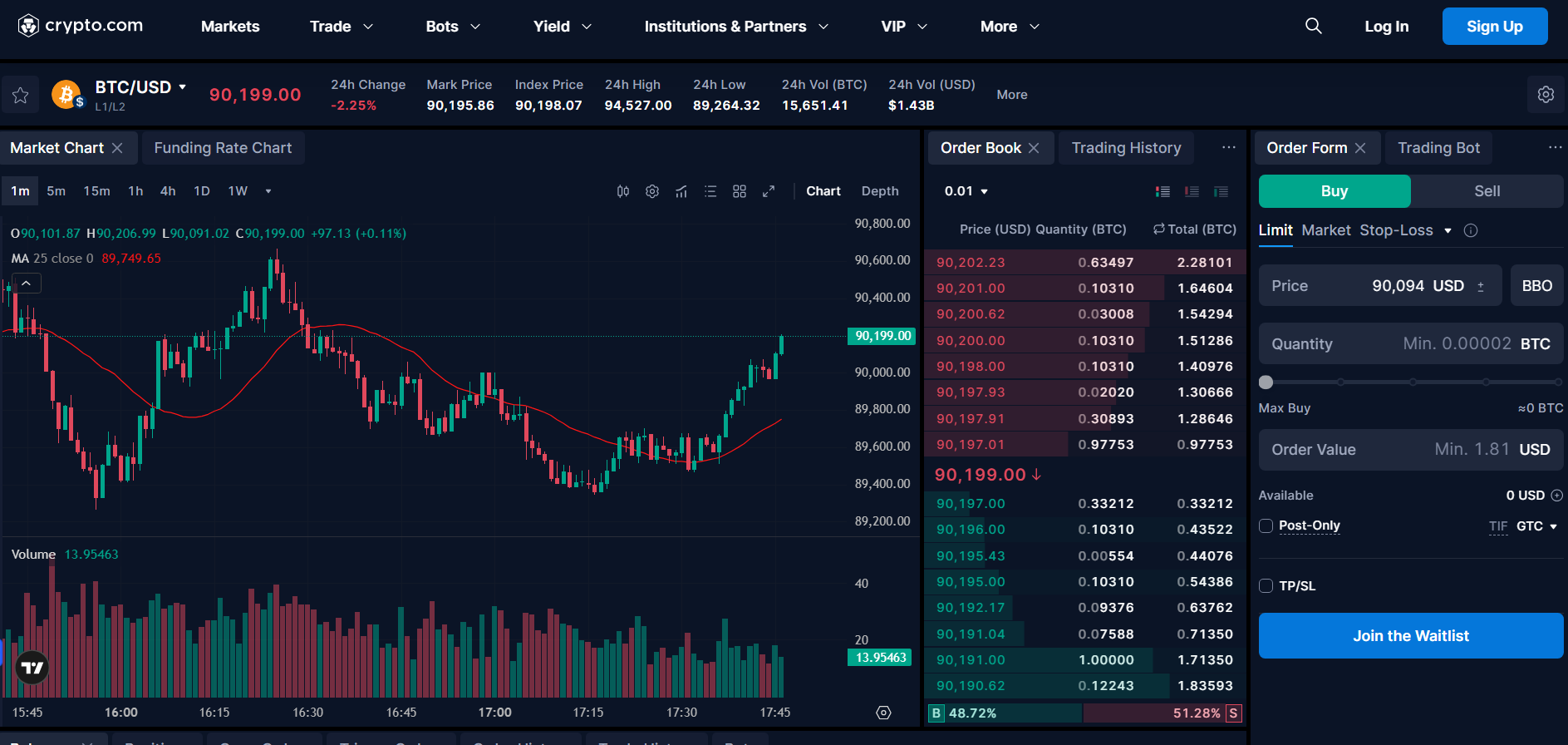
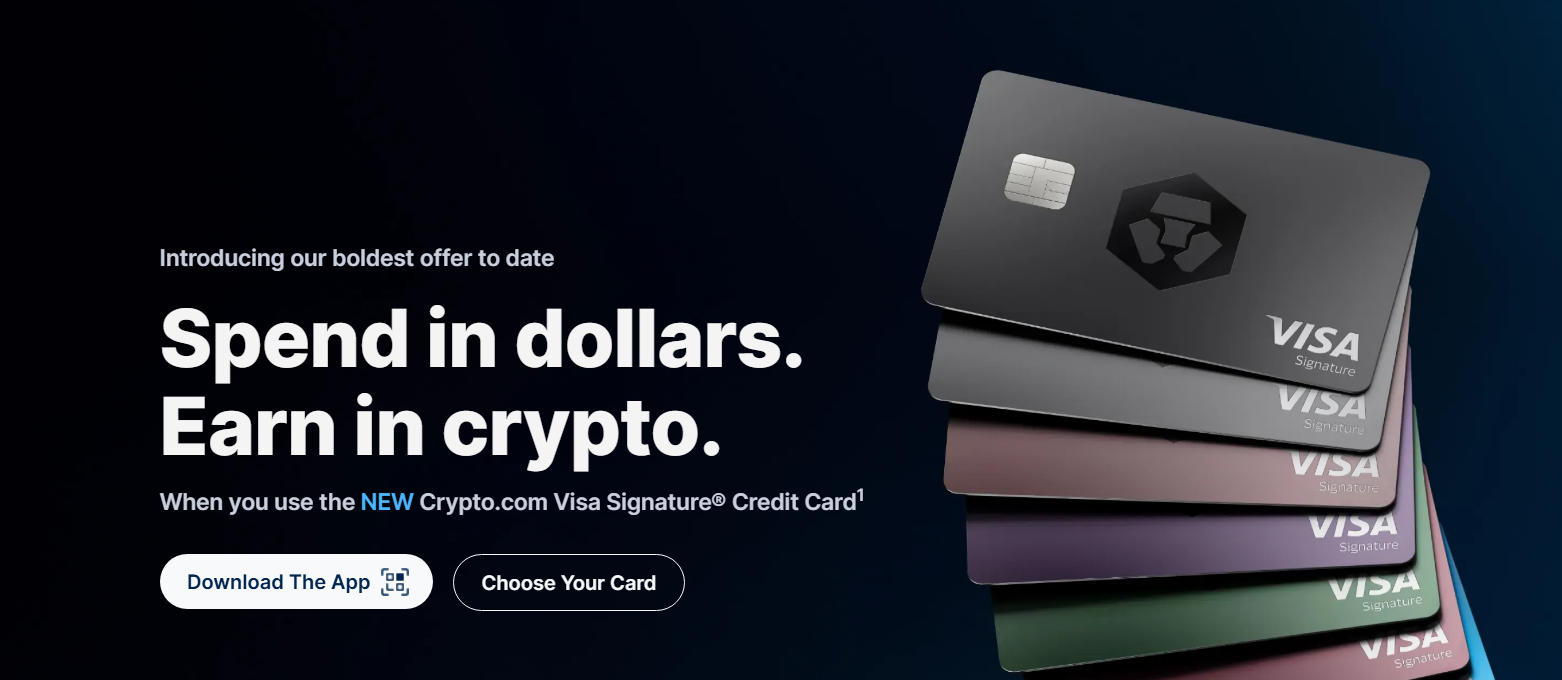
One of the highlights we found during our tests was that the platform has features for individuals and for businesses. As an individual trader, you’ll get both trading features and the Web3 extension that allow you to connect with dApps for staking or swapping. Here are the prominent features on Crypto.com: The crypto exchange is the primary feature on the platform and is where you will most likely spend your time. It supports spot trades, where you can trade over 500 pairs, and OTC trades. The latter is for VIPs and institutions, as it involves large volumes. The exchange requries you to have only one wallet to access all the services, including: Besides trading, you can also stake your tokens in the exchange. You’ll get three options with the staking feature: Crypto.com will provide a list of available tokens for staking. You simply pick one or more tokens in your wallet and stake them. While you can request to unstake your token after the status changes to stake, you have to keep in mind that most protocols may impose an unbonding period when you do. Crypto baskets allows you to diversify your portfolio with one click. The feature allows you to pick up to four thematic baskets. You can also create your custom basket to contain your preferred tokens. At the time of writing, the most viewed option was meme coin basket. Other popular picks included the Big 3, the DeFi, and the BTC-ETH Duo. On the other hand, you can do the following with the crypto baskets: Another notable feature was the auto-rebalancing. You’ll have the option to turn on or turn off this feature when you pick a crypto basket. The auto-rebalancing option allows you to set and execute buy-low, sell-high strategies automatically. It is an approach we will recommend if you want to maintain your portfolio allocation without always looking at the coin prices. The trading bots is a must-have function on the Crypto.com platform. You can trade fixed amounts automatically at regular intervals without having to open the trading window every time. The trading bots will look at the set parameters and execute the trade once the conditions are met. The trading bots we tested during our Crypto.com review are as follows: With each DCA bot option, you can create a bot for the crypto basket. Even better, Crypto.com shows the available options for each basket, and all you have to do is click the “Create” button. But if you want to create a custom bot for your portfolio, simply select the coins you need and set your parameters. Keep in mind that the trading bots at Crypto.com are not AI-powered like what you’ll find in Bybit or Binance. That was one of the prominent limitations we encountered during our tests, especially with many trading platforms shifting to AI-powered tools. This product is one of the boldest among all the features we explored during our Crypto.com review. You can get up to 6% cashback in crypto when you spend in dollars. Even better, the card comes with $0 annual card fees. You’ll enjoy all Visa Signature benefits with this card, and they include travel perks, purchase protection, and 24/7 concierge services. Note also that you have 4 options when purchasing the card: the basic, plus, pro, and private cards. Opening a Crypto.com Visa Signature credit card automatically enrolls you in the Level Up program. This program allows you to get up to $2,500 in a welcome bonus and up to 6% cashback as your spending reward. You also get 100% rebates on certain platforms like Netflix and Spotify, with exclusive invites to sporting events and VIP experiences. Other things you can expect with the Signature credit card include zero trading fees (up to a specified trading volume) and a 2.5% stock transfer bonus. To get the card, simply download the Crypto.com mobile app.
If you need access to more tokens than what the exchange provides, we recommend the Crypto.com Onchain. The platform allows you to access over 1,000 tokens across major blockchains like Cronos, Solana, and Ethereum. You can also buy these tokens using Apple Pay or use the in-app bridging tool. Crypto.com Onchain allows you to send, swap, and buy cryptocurrencies with ease. You can discover what’s trending, find spot market opportunities, and keep up with the latest airdrops, all while having full control over your crypto and keys. Staking is also available in this section, and you have over 25 tokens to lock up for passive rewards. What impressed us even more during our Crypto.com review is that the platform offers flexible lock-up options. If you need access to dozens of dApps, the Onchain platform is the place to be when it comes to Crypto.com. With this broad access, you can easily farm airdrops on the latest protocols, buy NFTs, and carry out other Web3-based functions, all within your wallet. When it comes to storing your assets, you can not only store them but also track their performance and monitor them in real time. The pay feature is available for businesses and institutions that want to receive crypto payments from their customers. You can receive BTC and other cryptocurrencies as payment, and all it takes is a single integration to include support for cryptocurrencies on your website. One of the things we found impressive with this feature is the zero crypto price risk. The feature supports cash settlement options in USD, EUR, GBP, and other fiat currencies, ensuring you have zero exposure to volatility risk. You can add one-time payment and recurring billing options to your website. If you run a physical store, you can use the Crypto.com merchant app to accept crypto payments. With the app, there is no need for a POS integration. There are pre-built plugins as well that allow you to seamlessly integrate the payment solution with popular e-commerce platforms. Some of the e-commerce sites we found during our review include Shopify, Magento, WooCommerce, and OpenCart.
Crypto.com features CFTC-regulated crypto derivatives. These options allow you to potentially profit from the market, regardless of the price direction. We tested different contract durations during our Crypto.com review and also tried different tokens. The user experience, we must say, works whether you are a beginner or an expert. However, we do advise you to know your maximum profit or loss before every trade. The experience is similar to what you will get with the CoinFutures platform, but with a little more control. You’ll get built-in leverage when you use UpDown Options on the platform. The leverage can amplify your gain. But even better, you can use this future to hedge your trades against price dips by shorting the underlying token. A faster alternative to UpDown Options is Strike Options. This feature allows you to take advantage of short-term market volatility. You can make a potential profit in as little as five minutes when you use Strike Options. And the option isn’t limited to cryptocurrencies alone. You can use it for FX pairs. Most trading platforms today include an earn feature; Crypto.com is no different. The earn feature supports over 21 cryptocurrencies and stablecoins, including private member perks. As a private member, you can enjoy an extra 1% p.a. in rewards distributed in CRO. With the earn feature on Crypto.com, you can earn up to $185 per year, with rewards paid in USDC. This includes up to 3.7% optimized rewards p.a. and up to $3.56 in rewards paid weekly. Reward rates differ by cryptocurrencies. For example, as of December 2025, DAI offered up to 5% compared to Bitcoin’s 1.5% on Tier 1. Keep in mind that token availability and distribution vary by jurisdiction and state (when in the U.S.). If you are a high-net-worth trader, the Prime option is the best fit for you. This option or status is only by invitation, but the benefits are worth it. First, you’ll get zero trading fees, and if that’s not enough, you’ll also get uncapped fiat limits and attractive trading rebates. The prime user option brings the best user experience Crypto.com has to offer. First off, you will have zero maker fees if you hold or lock up CRO in your account. But if you don’t hold CRO, you’ll have to pay maker fees, starting at 0.250%. The fees do get lower based on your trading volume. That said, the trading fees are as follows: Note that the fees in the table above apply if you don’t hold CRO in your account. But if you are a VIP, you’ll get 0% maker fees whether you lock up CRO or not. The taker fees are also much lower if you are a VIP, especially if you lock up CRO. As for deposit fees, you won’t pay anything, regardless of the cryptocurrency you use. However, Crypto.com charges withdrawal fees, which vary from one cryptocurrency to another. Also, the platform has minimum withdrawal limits you must meet before it processes your withdrawal request. We found comparatively low fees during our Crypto.com review, but there are a few things you still have to do to keep the cost down. Here are our top tips to minimize cost when trading on the platform:
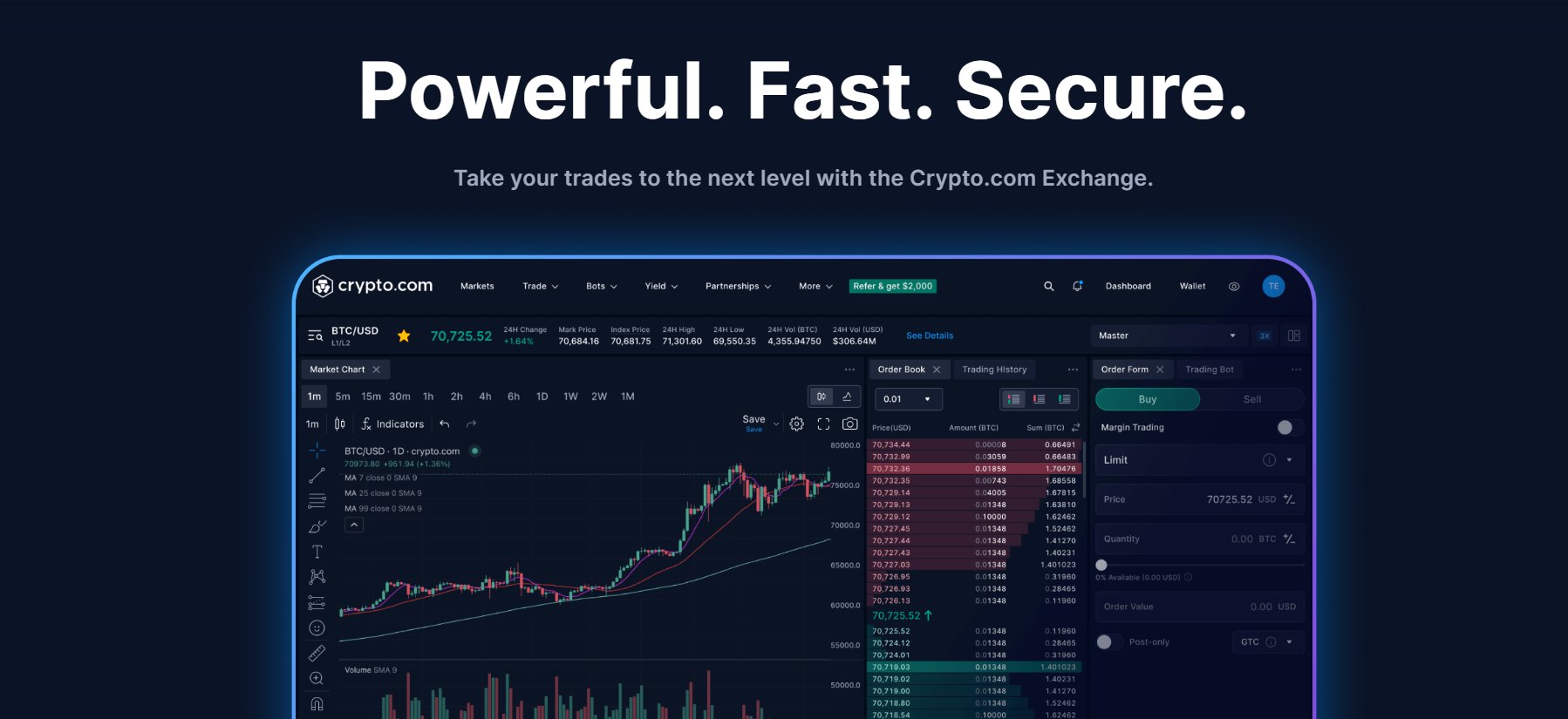
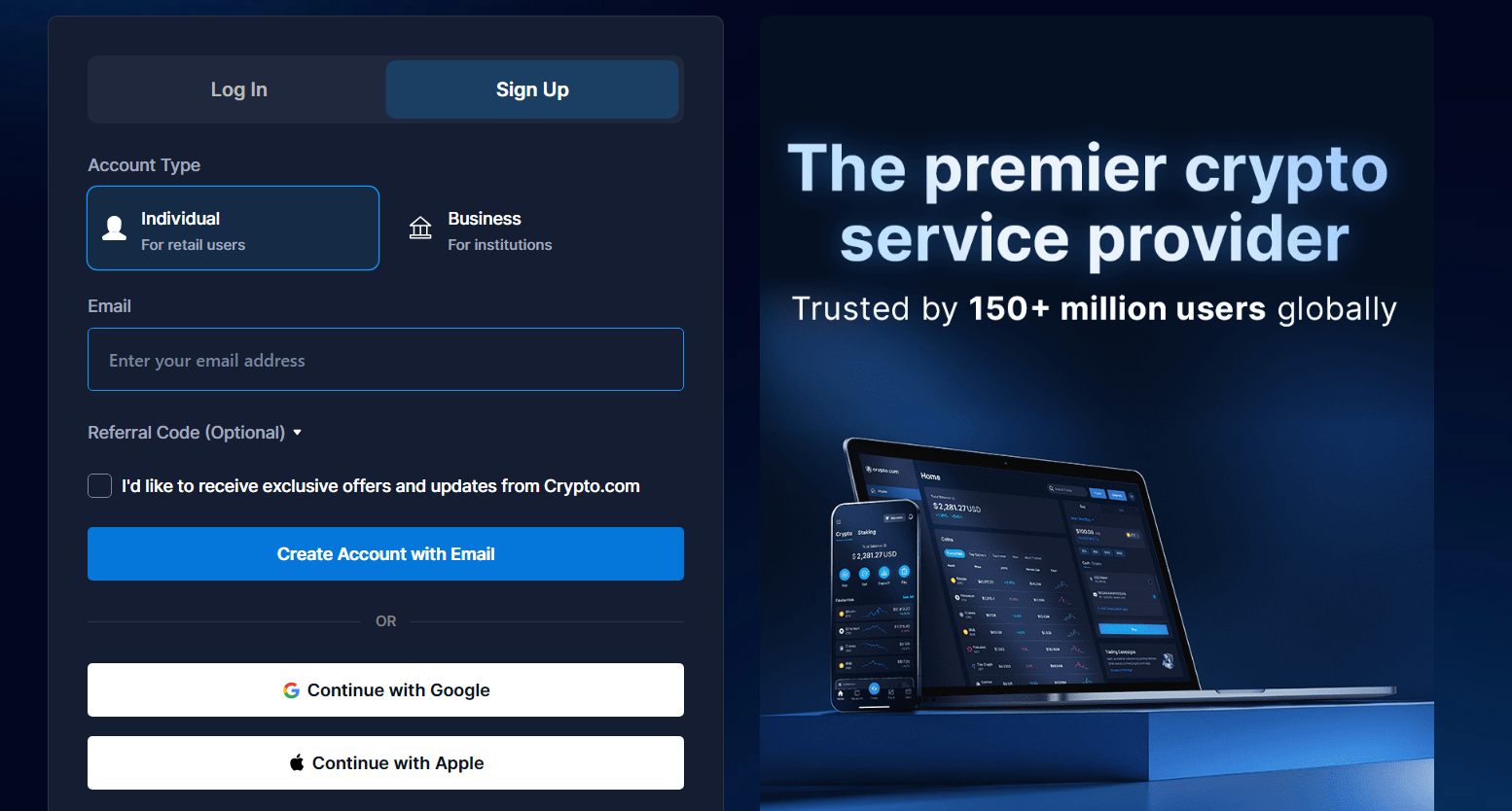
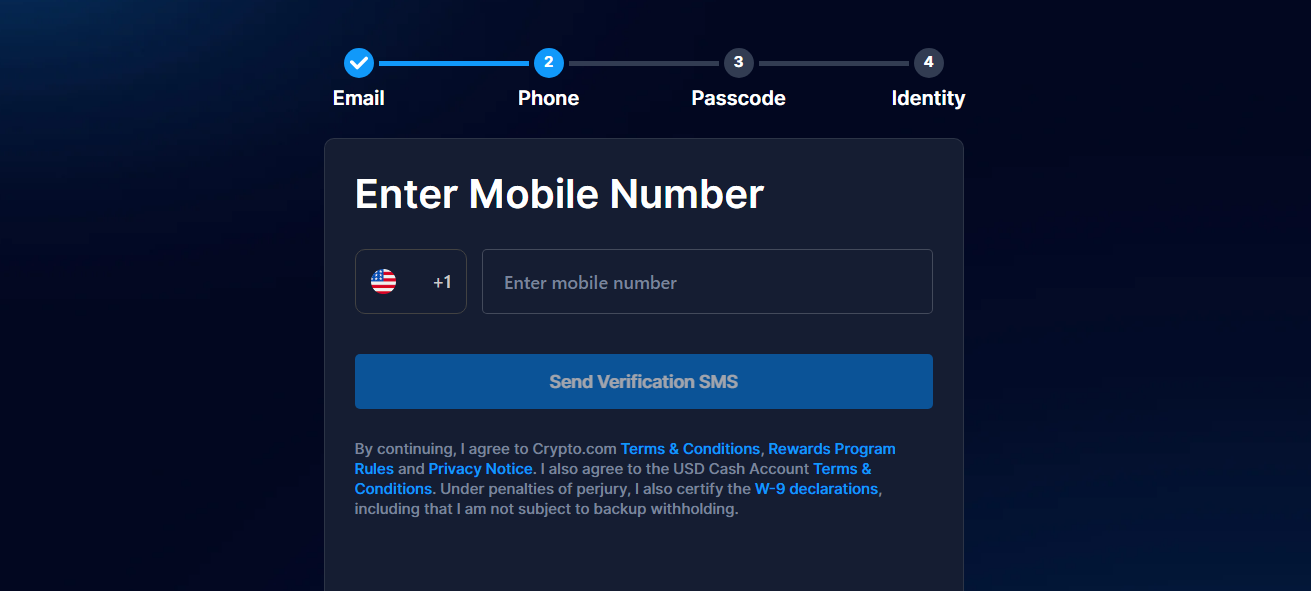
First, we were impressed that Crypto.com is accessible both on a desktop and on mobile via its app. Both are fast when it comes to placing orders, and the execution speed is also commendable. If you trade more with the exchange, we will recommend the desktop exchange for you. The desktop version offers a better user experience when it comes to viewing the charts and using the technical indicators available. The mobile platform is best for setting price alerts or monitoring price movements. The desktop exchange is recommended for the professional traders. You’ll find the professional tools easier to use on the desktop, including the bots, which may come in handy during automated trading sessions. If you want to manage your CRO lockups for fee discounts, the desktop site is the best place to do it. For beginners, you might take a while to get the hang of the desktop exchange. It does require a steeper learning curve than the mobile app, which is more seamless. The mobile app is more accessible and simplified. It has a clean and highly intuitive interface, which is ideal for a beginner. You can buy, sell, swap, and deposit cryptocurrency via the mobile app without any hassle. The app also gives you the option to track several cryptocurrencies and set price alerts. You can access your wallet via the mobile app. Even better, you can explore several dApps via the app, whether it is for NFTs, token swapping, or other services. The best way to resolve account-related or technical challenges on the platform is via the live chat option. This option is available 24/7 and has proven to be efficient during our Crypto.com review. The responses were quick. Still, when needed, you can always reach an agent to resolve your challenges instead of relying on the bot chat, which is still efficient, by the way. Another option is the help center, which contains several help articles on different areas. You’ll find articles that will help you better understand the app, the Level Up program, the prepaid card, and the credit card. We found several helpful articles during our review, and for the most part, you might not even need to contact a human agent to resolve your challenges. Besides these support options, Crypto.com features a news section, where it releases reports on the latest happenings in the company, including the crypto market. With that, you can stay updated on the latest news, just as you will stay updated on the latest ICO drops on ICOBench. ✅ You can get cashback and rebates when you use the Visa Signature credit card ✅ The platform combines a crypto exchange and an NFT marketplace into one ✅ You can access dozens of dApps using its OnChain wallet ✅ Crypto.com provides non-custodial crypto storage for its users ✅ Staking CRO on the platform brings several benefits, including lower fees ✅ You can effortlessly verify the platform’s reserves ✅ Crypto.com is licensed in several jurisdictions, making it a global platform ✅ The mobile app is beginner-friendly ✅ You will find earning opportunities as well as staking options ✅ There are no fees on deposits ❌ You have to stake CRO to get the full benefits and perks on the platform ❌ The rebates offered when subscribing to platforms like Netflix or Spotify are paid in CRO tokens only ❌ You’ll find relatively higher withdrawal fees Follow the steps below to set up your Crypto.com account: Visit the official Crypto.com website and click the “Sign Up” button. Pick the “Individual” option if you are registering for yourself. Otherwise, you can go with the business option if you are registering as an institution. Create your account with your email and phone number. Set up a passkey and provide details for your identity.
During registration, you’ll have to provide pictures of your government-issued ID and a selfie. The verification during our review took a few hours, but our experts gathered that it can take a few days as well, depending on the workload available on the platform’s end. Nevertheless, contact customer support via the in-app chat if your KYC isn’t verified within 3 days. Crypto.com supports various funding options, whether it is fiat or crypto. You can make bank transfers or send crypto from your wallet to your account. With that done, you can access the crypto exchange to start trading or use the app to explore dApps.
Crypto.com is an ideal fit whether you are trading as an individual or as an institution. We were impressed with how the platform offered several custom features to cater to both. Even better, all the features come in a user-friendly interface, especially when you use the app. The support for dApps and the provision of a non-custodial wallet are also a plus for the platform. You can also trade NFTs directly on the platform, giving you the flexibility of working with tokens and NFTs. From our Crypto.com review, we recommend the platform to both beginners and experts. But be prepared to hold CRO tokens and work with them more often to get all the perks and benefits of using the platform.
Key Takeaways
An Overview of Crypto.com and Its Background
Licensing and Security
Country
License Type
United States
Broker-Dealer Registration
Canada
Money Services Business Registration with FINTRAC
Cayman Islands
Virtual Asset Service Provider
Brazil
COAF Registration
United Kingdom
Crypto-asset Business Registration
EEA
Class 2 Crypto Asset Service Provider License (MiCA)
Australia
Digital Currency Exchange Service Provider Registration
Restricted Countries
Security—Adopting Policies That Keep User Funds Safe

Available Coins and Trading Pairs on Crypto.com
The Notable Trading Features We Found During the Crypto.com Review
✰ The Exchange
✰ The Crypto Basket
✰ Trading Bots
✰ The Visa Signature Credit Card
✰ OnChain
✰ Crypto.com Pay
✰ UpDown Options
Earning with Crypto.com

Crypto.com Prime
Fees and Limits at Crypto.com
Level
30-day total spot volume (USD)
Maker Fees
Taker Fees
1
<10,000
0.25%
0.50%
2
≥ 10,000
0.20%
0.40%
3
≥ 50,000
0.15%
0.25%
4
≥ 250,000
0.10%
0.20%
5
≥ 500,000
0.08%
0.18%
Level
30-day total spot volume (USD)
Maker Fees
Taker Fees
VIP 1
≥ 2.5M
0.065%
0.100%
2
≥ 10M
0%
0.050%
3
≥ 25M
0%
0.040%
4
≥ 100M
0%
0.035%
5
≥ 250M
0%
0.031%
6
≥ 500M
0%
0.028%
7
By invitation
0%
0.025%
Pro Tips to Minimize Cost When Trading with Crypto.com
Our User Experience on Crypto.com
Customer Service at Crypto.com
Pros and Cons of Using Crypto.com
Pros
Cons
✅ The platform features the Visa Signature credit card
❌ The price spread on the app leads to relatively higher fees when buying or selling cryptocurrency
How to Set Up Your Crypto.com Account
Step 1: Sign Up on the Platform
Step 2: Complete the KYC Verification
Step 3: Fund Your Account and Start Trading
Crypto.com Review—Final Thoughts
FAQs
Can I trust Crypto.com?
Is Crypto.com legal in the U.S.?
What are the cons of using Crypto.com?
Is Crypto.com better than Coinbase?
Does Crypto.com charge fees?